Before you flash
Match the exact model, region, and branch name. Similar model numbers are not the same device.
Need flashing steps?
Firmware files are here on Inar Guide. Tutorials, flash tools and USB drivers are on FlashGuideHub.
Looking to install the stock ROM on your Wiko Tommy 2 Plus? This comprehensive guide provides direct download links for the firmware flash file and clear, step-by-step instructions to get your phone back on track.
Use this firmware file to effectively reset your phone, fix bootloop issues, bypass password locks, resolve device freezing, and address numerous other software problems.
This file is strictly for the Wiko Tommy 2 Plus.
Download:
| Filename | Download Link |
|---|---|
| Wiko_Tommy_2_Plus_28082017_QFIL.zip | Download 2_28082017 (MediaFire) |
Requirements to Install ROM with QFIL
- A PC/Laptop in a good working condition
- A detectable USB cord
- Qualcomm Flash Image Loader (QFIL)
- Qualcomm USB driver (32bit|64bit)
Flashing Wiko Tommy 2 Plus Firmware with QFIL
- After you have downloaded all the files, like the drivers and the Wiko Tommy 2 Plus ROM, the first thing to do is to extract them.
- Extract the Qualcomm USB driver to your desired folder on your PC.
- Install the drivers; you can reboot your PC after installing them (it’s optional).
- After installing the drivers, extract the ROM you wish to install.
- Extract QFIL and launch the QFIL.exe program; you will the screen below
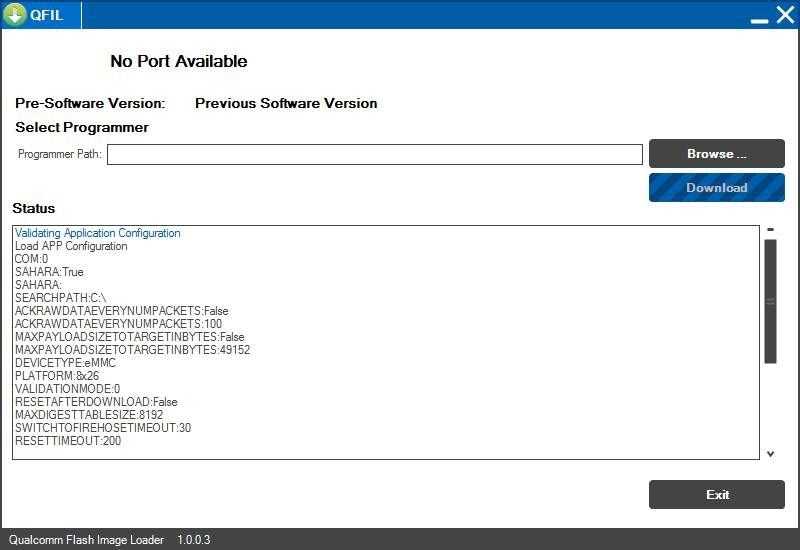 Install ROM with Qualcomm Flash Image Loader (QFIL)
- On QFIL, click on Browse to locate the firmware you extracted for installation. QFIL flashes/installs .mbn extensions; this means that you have to locate the .mbn file in the folder.
- Once you have located the ROM file, you will get the screen below
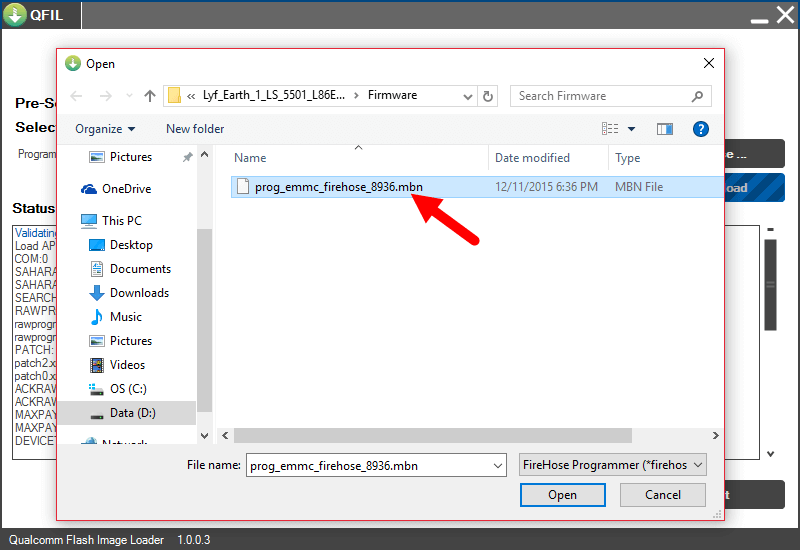 Select ROM file on QFIL
- Click Open for QFIL to launch the files for the Wiko Tommy 2 Plus and ready them for installation.
- Now, power down/off your phone and connect it to the PC.
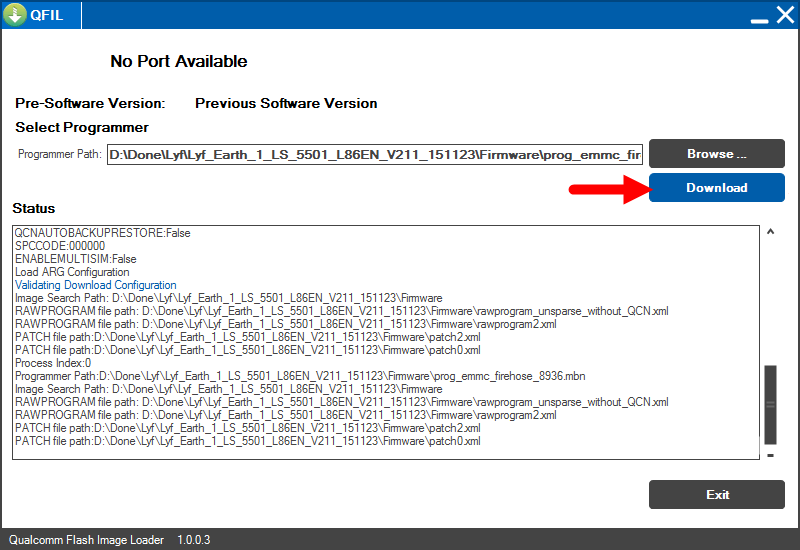 Download QFIL
- Click on Download to begin installation or flashing.
- Installation usually takes time, like 5–10 minutes; likewise, the first boot after flashing your phone.
- Wait for it to successfully install, and after installation, disconnect your smartphone and boot up the phone.