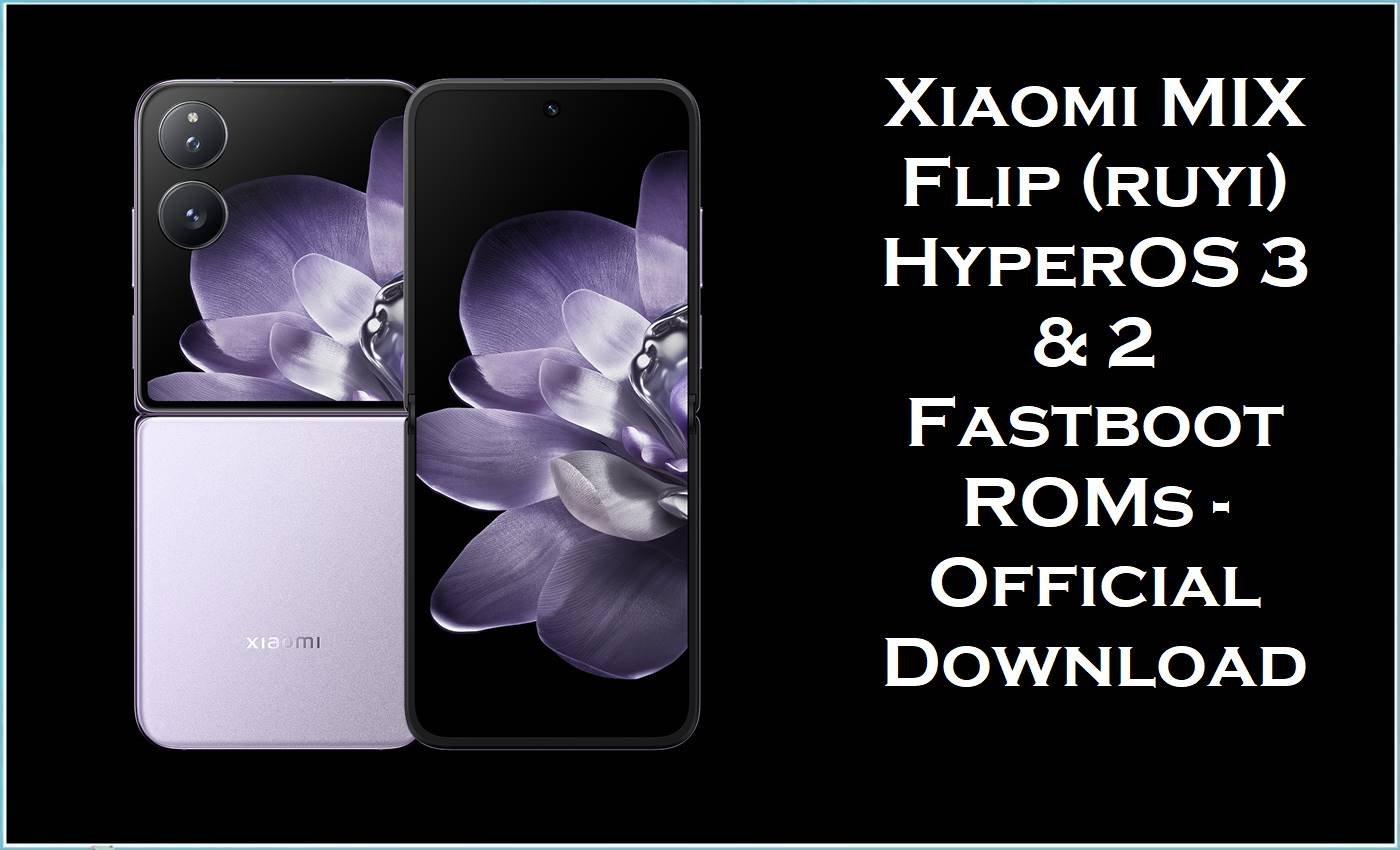
Xiaomi MIX Flip, codename ruyi, is a premium clamshell foldable with Snapdragon 8‑series power, dual high‑refresh OLED screens, Leica‑branded cameras and a 4,780 mAh battery with 67 W fast charging, aimed at users who want flagship performance in a compact flip form.
Reviews and user reports praise its screens, battery life and speed, but also point out weak water protection, a hinge that feels less solid than rivals, thermal throttling under load and laggier animations after some HyperOS updates.
The official HyperOS fastboot ROMs below – including a China HyperOS 3 Android 16 build and multiple Android 15 HyperOS 2 regional ROMs – let you clean‑flash your MIX Flip to fix software corruption, reduce lag and benefit from Xiaomi’s latest performance and stability optimizations.
MIX Flip (ruyi) Firmware Details
| Device name | Xiaomi MIX Flip |
|---|---|
| Codename | ruyi |
| Model IDs | 2405CPX3DG (global), 2405CPX3DC (China) and related N8 internal platform |
| Chipset / CPU | Qualcomm Snapdragon 8‑class flagship SoC with 5G modem |
| Display | Inner high‑refresh LTPO OLED plus outer cover screen for quick apps and camera preview |
| Battery / charging | 4,780 mAh battery, 67 W wired charging, no wireless charging |
| Key complaints | Hinge stability, no IP water rating, thermal throttling in long gaming/benchmarks, cover‑screen software limits and laggier UI after some updates |
| Firmwares here | China HyperOS 3.0.3.0 Android 16 fastboot; multiple Android 15 HyperOS 2.0.20x fastboot ROMs for Global, EEA, TW and RU |
| OS3.0.3.0 highlights | Refined compiler and scheduling, better memory reclaim, smoother animations across many system scenes, more efficient video playback and new AI features |
| Package type | Official fastboot images (.tgz) with full partitions and flash_all*.bat scripts |
| Flashing tools | Xiaomi Mi Flash Tool on Windows or manual fastboot on desktop |
| Bootloader | Bootloader unlock required for all fastboot ROMs; recovery/OTA builds are used on locked devices |
Download Official Firmware for Xiaomi MIX Flip (ruyi)
Below are official HyperOS factory images from Xiaomi’s bigota/hugeota servers: one China HyperOS 3 Android 16 build and four Android 15 HyperOS 2 fastboot ROMs for Global, EEA, Taiwan and Russia. The HyperOS 3.0.3.0 China package focuses on deeper performance optimizations, smoother animations and richer AI features, while the HyperOS 2.0.20x global builds mainly update the security patch level and general stability.
| Filename | File size | Build date | Build / Android | Region / type | Download |
|---|---|---|---|---|---|
| ruyi_images_OS3.0.3.0.WNICNXM_20251107.0000.00_16.0_cn_7979107b51.tgz | 8.98 GB | 2025‑11‑07 | OS3.0.3.0.WNICNXM · Android 16 · HyperOS 3 | China · official HyperOS 3 fastboot ROM for MIX Flip (ruyi) | Download OS3.0.3.0 China (Xiaomi bigota) |
| ruyi_global_images_OS2.0.209.0.VNIMIXM_20251104.0000.00_15.0_global_7ab265563f.tgz | 7.64 GB | 2025‑11‑04 | OS2.0.209.0.VNIMIXM · Android 15 · HyperOS 2 | Global (MI) · fastboot ROM for MIX Flip global units | Download OS2.0.209.0 Global (Xiaomi bigota) |
| ruyi_tw_global_images_OS2.0.208.0.VNITWXM_20251104.0000.00_15.0_tw_6c43af73b9.tgz | 7.21 GB | 2025‑11‑04 | OS2.0.208.0.VNITWXM · Android 15 | Taiwan (TW) · HyperOS 2 fastboot ROM | Download OS2.0.208.0 TW (Xiaomi bigota) |
| ruyi_eea_global_images_OS2.0.213.0.VNIEUXM_20251028.0000.00_15.0_eea_0c8e0ab567.tgz | 7.65 GB | 2025‑10‑28 | OS2.0.213.0.VNIEUXM · Android 15 | EEA (EU) · EU‑region HyperOS 2 fastboot ROM | Download OS2.0.213.0 EEA (Xiaomi bigota) |
| ruyi_ru_global_images_OS2.0.208.0.VNIRUXM_20251104.0000.00_15.0_ru_3e4c14125a.tgz | 8.48 GB | 2025‑11‑04 | OS2.0.208.0.VNIRUXM · Android 15 | Russia (RU) · HyperOS 2 fastboot ROM for Russian MIX Flip | Download OS2.0.208.0 RU (Xiaomi bigota) |
Flashing Requirements
- MIX Flip must report ruyi in fastboot (fastboot getvar product) before using these fastboot ROMs.
- Bootloader has to be unlocked; Xiaomi fastboot packages cannot be flashed on a locked MIX Flip.
- Windows PC with Xiaomi USB drivers, Xiaomi Mi Flash Tool (or fastboot CLI), good USB‑C cable and at least 15–20 GB free space.
- Battery charged to 60 % or higher to reduce the risk of shutdown and extra throttling during the flash.
- Full backup of photos, messages and app data, as “clean all” fastboot flashes will wipe internal storage.
How to Flash the Firmware
Fastboot ROMs (.tgz) with Xiaomi Mi Flash Tool
- Download the correct regional ruyi_…_images_… `.tgz` and extract it until the de>images folder and flash_all*.bat scripts appear.
- Install Xiaomi USB drivers and Mi Flash Tool on your PC, open Mi Flash and select the extracted firmware folder.
- Boot MIX Flip into fastboot mode, connect via USB and click “Refresh” in Mi Flash to ensure the device is recognized.
- Choose the clean all option, click “Flash” and wait patiently until Mi Flash reports success; do not disconnect the cable early.
- Reboot and let HyperOS finish optimisation; HyperOS 3.0.3.0 in particular includes deeper performance tuning and smoother animations that can reduce lag from previous builds.
For step‑by‑step guides with screenshots and videos, see: how to flash with Xiaomi Mi Flash Tool, how to use a flash_all.bat fastboot script, and how to manually install OTA updates via recovery/ADB sideload.
Frequently Asked Questions (FAQs)
What issues can these ruyi ROMs actually fix?
Clean fastboot ROMs can revive MIX Flip units stuck on the logo, repair failed HyperOS updates and clear deep software glitches that cause freezes or UI lag, giving you a fresh Android 15 or 16 base.
Will HyperOS 3.0.3.0 stop overheating and throttling?
The OS3.0.3.0 changelog emphasizes improved scheduling, memory handling and graphics efficiency, but Xiaomi still warns that flip phones heat faster when folded and will throttle to protect the hardware, so long gaming sessions may still warm the device.
Which region should I pick for my MIX Flip?
China devices should use WNICNXM, while global, EEA, Taiwan and Russia units must match VNIMIXM, VNIEUXM, VNITWXM or VNIRUXM respectively to keep correct language packs, bands and OTA behaviour.





