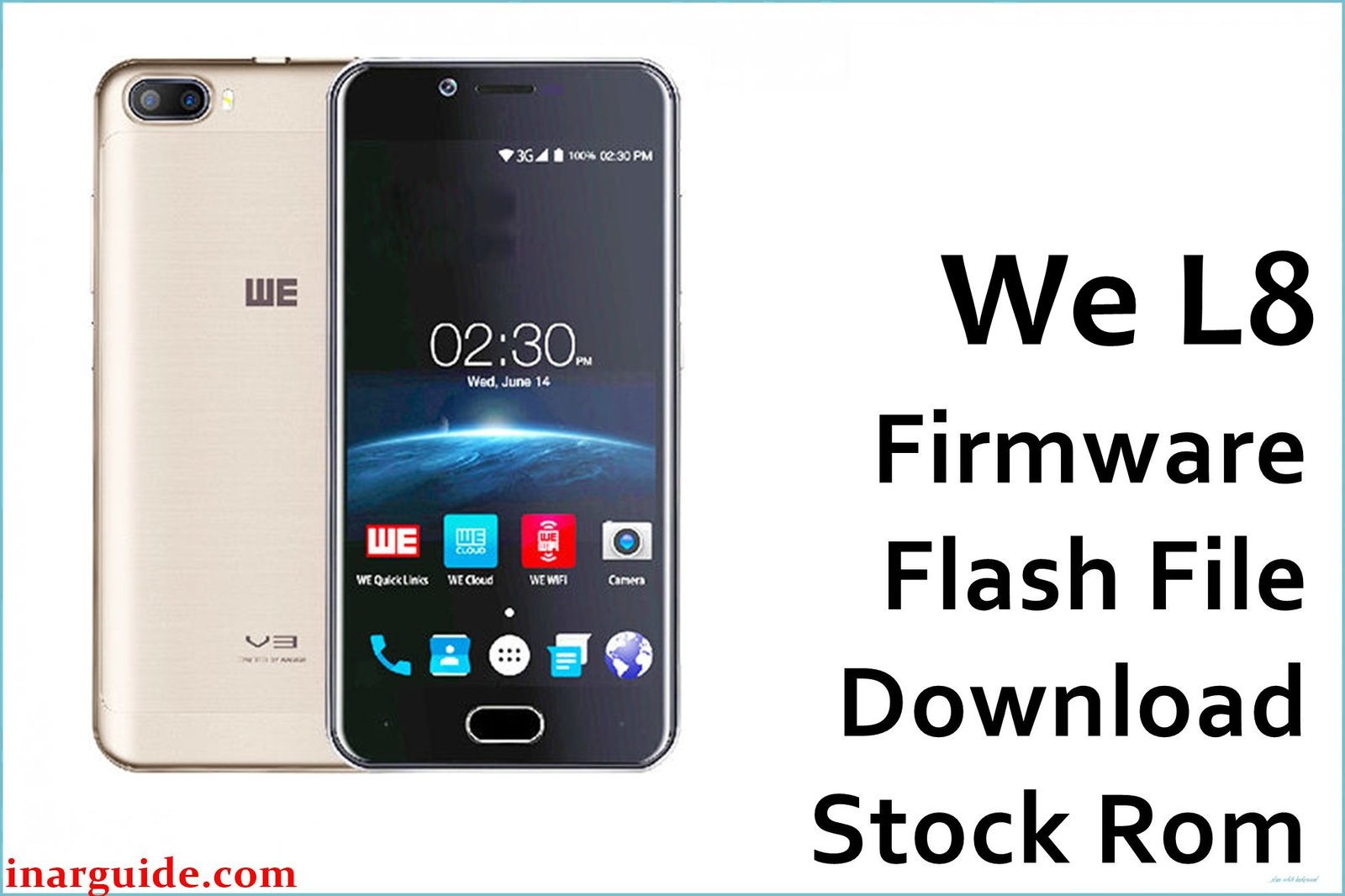
The WE L8 is a budget 4G smartphone for the Bangladesh market, featuring a 5‑inch HD IPS display, MediaTek MT6737 series quad‑core CPU, 1 GB RAM, 8 GB storage, and a 2000 mAh battery running Android 7.0 Nougat. In daily use, many owners report low storage warnings, slow performance, and software corruption that leads to bootloop or “stuck on WE logo” problems, often after failed tweaks or malware infections.
The We_L8_MT6737M_SW_004_1013_041217 flash file is a full stock ROM package used by technicians to unbrick the phone, clear FRP, and restore stable factory firmware on MT6737M‑based WE L8 devices.
WE L8 Firmware Details
| Device Name | WE L8 4G Smartphone |
|---|---|
| Model Identifier | WE L8 (MT6737M platform) |
| Chipset / CPU | MediaTek MT6737M / MT6737W, quad‑core up to 1.25 GHz |
| GPU | Mali‑T720 MP1, 650 MHz |
| Display | 5.0″ HD IPS, 720 × 1280, 2.5D Asahi Glass |
| RAM / Storage | 1 GB RAM, 8 GB internal storage (microSD supported) |
| Base Android Version | Android 7.0 Nougat (WE custom UI) |
| Firmware Version | We_L8_MT6737M_SW_004_1013_041217 |
| Stock ROM Type | Scatter‑based Flash File (.zip) for SP Flash Tool, includes full system partitions (tested service firmware) |
| Approx. Build / Mirror Date | Original Android 7.0 stock build, mirrored on firmware servers 28‑05‑2024 |
| Target Region | Bangladesh market (WE brand, Aamra Group) |
| Main Use Cases | Fix bootloop / hang on logo, remove FRP, solve software bugs, restore stock ROM after wrong flash |
| Required Flashing Tool | SP Flash Tool (MediaTek) with MTK VCOM/Preloader drivers |
| Bootloader / Access Mode | Flashed in preloader/Download mode via USB; no OEM unlock toggle needed like modern Androids |
Download Official‑Style Firmware for WE L8 (MT6737M)
| Filename | Region / Device | File Size | Upload Date | Android / Build | Flashing Tool | Notes | Download Link |
|---|---|---|---|---|---|---|---|
| We_L8_MT6737M_SW_004_1013_041217.zip | WE L8 (Bangladesh, MT6737M) | ≈ 1.26 GB archive | 28‑05‑2024 (mirror upload) | Android 7.0 Nougat stock ROM (SW_004_1013_041217) | SP Flash Tool (scatter flash) | 100% tested flash file used to repair hang‑on‑logo, bootloop, FRP lock and other software faults on WE L8 MT6737M. | Download We_L8_MT6737M_SW_004_1013_041217 (MediaFire) |
Flashing Requirements
- Windows PC or laptop with a stable USB port, plus a good quality micro‑USB cable for the WE L8.
- Installed MediaTek USB VCOM/Preloader drivers so SP Flash Tool can detect the MT6737M chipset correctly.
- Latest SP Flash Tool compatible with MT6737M and scatter‑based firmware packages.
- Complete backup of user data (internal storage will usually be erased when flashing full stock ROM).
- Battery level above 50% and a verified, fully downloaded copy of We_L8_MT6737M_SW_004_1013_041217.zip extracted on your PC.
How to Flash the Firmware
This WE L8 firmware is a classic MediaTek scatter flash package, so technicians normally install it using SP Flash Tool in Download mode.
Flash WE L8 Stock ROM via SP Flash Tool
- Download the We_L8_MT6737M_SW_004_1013_041217.zip file, then extract it to a simple folder path on your computer (for example, C:\WE_L8_ROM).
- Install MTK VCOM drivers, open SP Flash Tool, and load the included MT6737M scatter file from the extracted firmware directory.
- Choose the Download Only or full Firmware Upgrade option as recommended by your service manual, ensuring all necessary partitions (preloader, boot, system, userdata, etc.) are correctly ticked.
- Power off the WE L8, remove and reinsert the battery if possible, then connect it to the PC via USB so SP Flash Tool can start writing the firmware.
- Wait for the green success message, disconnect the phone, and power it on; the first boot can take several minutes while Android rebuilds caches and optimizes apps.
For a complete step‑by‑step tutorial with screenshots and videos on SP Flash Tool, follow the dedicated MediaTek flashing guide here: How to flash stock firmware to MediaTek (MTK) smartphones with SP Flash Tool. This guide shows each screen and button so you can safely match the process to your WE L8 flash file method.
Frequently Asked Questions (FAQs)
What problems can this WE L8 firmware fix?
This stock ROM is primarily used to repair bootloop, stuck‑on‑logo, sudden app crashes, severe virus infections, and general software instability on the WE L8.
Is the We_L8_MT6737M_SW_004_1013_041217 file compatible with all WE L8 units?
The package targets WE L8 phones built on the MT6737M platform; always confirm your exact model (WE L8), chipset, and board before flashing to avoid compatibility issues.
Will flashing this ROM remove FRP lock or Google account?
Many service guides use WE L8 flash files to clear FRP in combination with SP Flash Tool or a special DA agent, but success depends on the tool settings and security patch level.
Why is my WE L8 still slow after flashing?
The WE L8 only has 1 GB RAM and 8 GB storage, so heavy apps and background processes can still cause lag even on clean firmware; keeping storage free and limiting installed apps helps.
Can I update WE L8 to a newer Android version with this file?
No, this ROM is based on the official Android 7.0 Nougat build for WE L8; it restores the factory OS but does not upgrade the phone to Oreo or later Android versions.
What if SP Flash Tool does not detect my phone?
Usually this means MTK drivers are missing, the cable/USB port is faulty, or the phone is not properly entering preloader mode; reinstall drivers and try different USB ports before repeating the flash.





