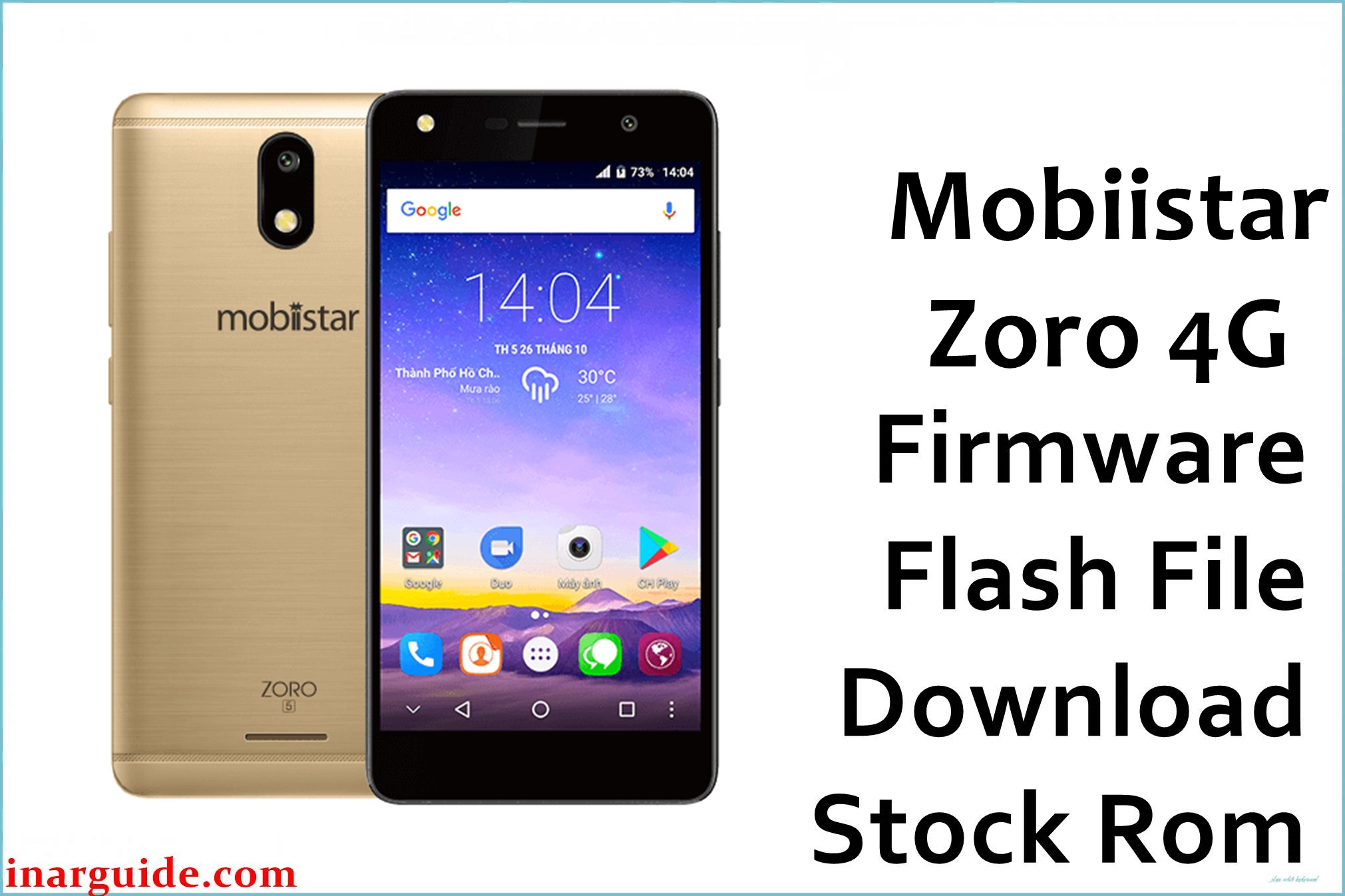
The Mobiistar Zoro 4G is an entry‑level 4G smartphone with a 5.0‑inch IPS display, 1 GB RAM, 8 GB storage (expandable), and a MediaTek MT6737M quad‑core chipset running Android 7.0 Nougat. This compact model is typically used as a basic daily phone or secondary device, where storage limitations, aggressive app installs, and failed rooting can cause bootloops, app crashes, or OTA failures.
Installing the correct stock firmware (Mobiistar_Zoro_4G_MT6737M_V1.07_06152017_7.0) can help restore software stability, recover from soft‑bricks, and address issues like stuck boot animation after custom modifications, without promising fixes for all scenarios.
Mobiistar Zoro 4G Firmware Details
| Field | Details |
|---|---|
| Device Name | Mobiistar Zoro 4G (D517i model, compact 4G entry‑level phone) |
| Model Identifier | Zoro 4G, 1 GB RAM / 8 GB storage (microSD expandable) |
| Codename | Commonly referenced as Zoro_4G / D517i in MT6737M firmware builds (V1.07_06152017) |
| Chipset / Platform | MediaTek MT6737M (quad‑core Cortex‑A53 at 1.1 GHz, Mali‑T720 MP2 GPU) |
| Launch Android Version | Android 7.0 Nougat |
| Current Firmware Line | Stock Android 7.0 Nougat ROM line, V1.07 build dated 15 June 2017 (Mobiistar_Zoro_4G_MT6737M_V1.07_06152017_7.0) |
| Typical File Size Range | Approx. 1.1–1.4 GB compressed for full SP Flash Tool packages; this package is about 1.26 GB. |
| Firmware Type | Scatter‑based stock ROM for SP Flash Tool (MT6737M platform, Zoro 4G specific) |
| Flashing Tool | SP Flash Tool (Smart Phone Flash Tool) for MediaTek devices |
| Bootloader Requirement | Flashes via MTK preloader interface; works with standard locked bootloader, no fastboot unlock needed. |
| Region / Branch Notes | Global/generic hardware family; cross‑flashing with other MT6737M models is unsafe due to differing modem bands and display configurations. |
⚠️ Flashing Risks & Disclaimer
Flashing this model risks issues tied to the Mobiistar Zoro 4G’s MT6737M chipset and low‑storage design, where incorrect ROMs can cause boot failures, missing 4G bands, or incompatible display drivers. Using firmware from higher‑spec MT6737T or unrelated MT6737M devices may prevent booting or disable telephony.
SP Flash Tool “Format all + Download” can wipe NVRAM, leading to IMEI loss and no network service on this storage‑limited phone, requiring radio repair tools. USB instability or interruptions during flashing low‑capacity storage can result in partial writes and repeated soft‑bricks.
This firmware is for restoring original software on the Mobiistar Zoro 4G by legitimate owners only. ROM images and assets belong to their rights holders; no modification or copyrighted redistribution is endorsed.
Download Official Firmware for Mobiistar Zoro 4G
This package is an original stock ROM mirrored for preservation, as the manufacturer no longer provides public downloads for this V1.07 build.
| Region / Variant | Filename | Build / Version | Android / Firmware Version | File Type | Build Date | File Size | Download Link |
|---|---|---|---|---|---|---|---|
| Global Mobiistar Zoro 4G (MT6737M) | Mobiistar_Zoro_4G_MT6737M_V1.07_06152017_7.0.zip | Mobiistar_Zoro_4G_MT6737M_V1.07 (stock Nougat build for D517i) | Android 7.0 Nougat stock ROM for Mobiistar Zoro 4G (MT6737M) | Compressed SP Flash Tool scatter package (.zip; includes scatter and images) | 15 June 2017 (V1.07 branch) | ≈ 1.26 GB (compressed archive) | Download Zoro 4G V1.07 stock ROM (Google Drive mirror) |
Flashing Requirements
- PC & OS: Windows PC (Windows 7 or newer) with admin rights for MediaTek drivers.
- Drivers & Tools: MTK USB VCOM/Preloader drivers and SP Flash Tool compatible with MT6737M.
- Firmware: Use only Zoro 4G V1.07 MT6737M ROMs; avoid MT6737T or other models due to hardware differences.
- Bootloader: Standard locked bootloader supported via preloader; no fastboot unlock required.
- Battery & Cable: Charge to 40–50%+ and use reliable USB to avoid interruptions on low‑storage devices.
- Backup: Full flashes wipe data/NVRAM; back up files and IMEI info beforehand.
- Verification: Confirm MT6737M, 1 GB RAM, 8 GB storage, Zoro 4G model via specs or labels.
How to Flash the Firmware
- Download and extract: Get Mobiistar_Zoro_4G_MT6737M_V1.07_06152017_7.0.zip and extract for MT6737M scatter and images.
- Install drivers/SP Tool: Install MTK VCOM drivers, extract SP Flash Tool, run as admin.
- Load scatter: In “Download” tab, load MT6737M scatter.txt, verify partitions for Zoro 4G V1.07.
- Connect off device: Click “Download”, connect powered‑off Zoro 4G for preloader detection and flash.
- First boot: After success, power on; initial Android 7.0 boot takes time—check 4G, display on low‑storage setup.
Detailed guide: SP Flash Tool Mediatek firmware flashing guide.
Frequently Asked Questions (FAQs)
Is this ROM for Zoro 4G MT6737M only?
Yes. V1.07 is specific to MT6737M Zoro 4G (1 GB/8 GB); MT6737T variants or others cause mismatches.
Can it fix low‑storage bootloops on Zoro 4G?
Full stock restore via SP Tool often resolves software corruption from full storage or bad apps, if hardware is ok.
Does flashing wipe 8 GB storage?
“Firmware Upgrade”/“Format all” wipes data/NVRAM; “Download Only” may preserve but less safe for deep fixes.
Cross‑flash with other MT6737M?
Unsafe—modem/display differences cause no boot or no 4G.





