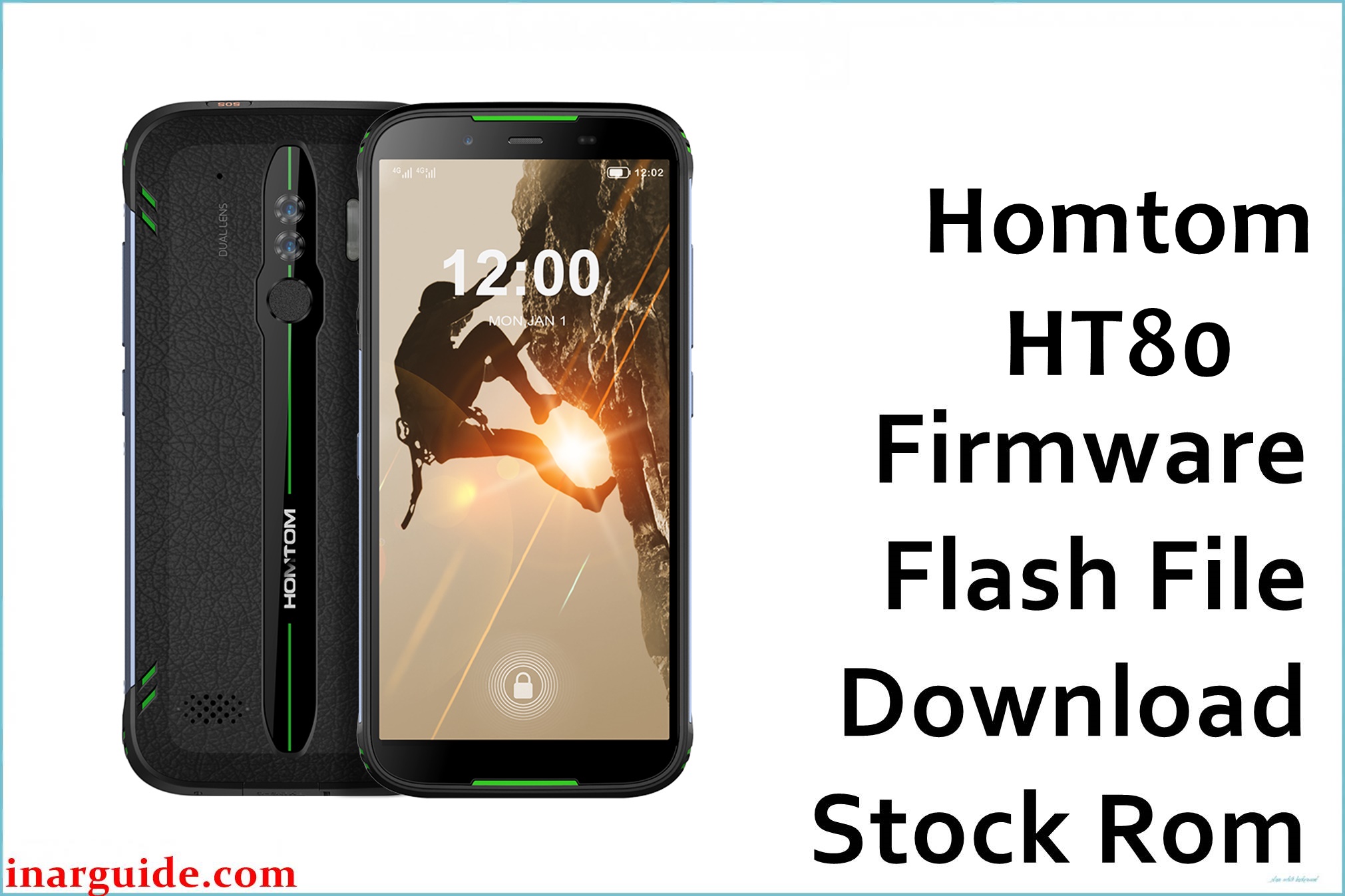
Homtom HT80 is a rugged Android smartphone based on the 64‑bit MediaTek MT6737/MT6737M platform, paired with 2 GB RAM and 16 GB internal storage, typically shipping with Android 7.0–10 depending on production batch.
The Homtom_HT80_MT6737M_V1.1.9_2G_16G_20200326.zip package is a full stock ROM for the 2 GB RAM / 16 GB storage variant, intended for SP Flash Tool flashing to repair software issues such as bootloops, failed updates, or corrupted partitions.
This model is a thick, rubberized outdoor handset, and users often encounter software problems after improper system tweaks, failed OTA updates, or installing incompatible apps that trigger repeated crashes or bootloops.
Installing the correct MT6737M 2G/16G firmware can help restore factory behavior, improve stability, and return the device to a clean Android base, as long as the ROM matches the specific memory configuration and SoC variant printed in the filename.
Homtom HT80 Firmware Details
| Field | Details |
|---|---|
| Device Name | Homtom HT80 |
| Model Identifier | Homtom HT80, 2 GB RAM / 16 GB storage configuration (2G_16G) |
| Codename | HT80 (MT6737/MT6737M rugged platform) |
| Chipset / Platform | MediaTek MT6737M, quad‑core Cortex‑A53 up to around 1.1 GHz with Mali‑T720 series GPU. |
| Launch Android Version | Android 7.0 Nougat baseline, with later batches advertised up to Android 10 depending on region and marketing. |
| Current Firmware Line | Homtom stock MT6737M firmware line (V1.1.x series for HT80, customized rugged UI on top of Android). |
| Typical File Size Range | Approximately 1.4–2.2 GB compressed for full SP Flash Tool firmware; this archive is noted as about 1.8 GB. |
| Firmware Type | Scatter-based stock ROM (preloader, lk, boot, system, vendor, and related partitions) for SP Flash Tool. |
| Flashing Tool | SP Flash Tool (Smart Phone Flash Tool) for MediaTek devices. |
| Bootloader Requirement | Uses MTK preloader download mode; normally flashable with locked bootloader through DA handshake instead of fastboot unlock. |
| Region / Branch Notes | HT80 appears primarily as a global rugged model; the V1.1.9_2G_16G_20200326 line is tied to the 2 GB RAM / 16 GB storage hardware and may not suit any future 3 GB variants. |
⚠️ Flashing Risks & Disclaimer
Because the HT80 uses the MT6737M platform with a specific memory and display configuration, flashing firmware intended for a different RAM size, board revision, or SoC variant can cause no‑boot conditions, non‑functional touch, or missing radio support. “Format All + Download” in SP Flash Tool is particularly risky on this device, as it can erase NVRAM and calibration data, resulting in loss of IMEI and LTE configuration that is not automatically recreated. Interrupting the flashing process while critical partitions are written or using an incorrect preloader image may leave the phone in a deep brick state that requires test‑point and specialist tools to recover.
All firmware components in the Homtom_HT80_MT6737M_V1.1.9_2G_16G_20200326.zip package are original Homtom stock software, provided solely for device repair and system restoration. No modification or re‑licensing of the vendor’s content is implied, and each user remains responsible for complying with applicable software licenses, copyright law, and any warranty or carrier terms when flashing this ROM.
Download Official Firmware for Homtom HT80
The entry below corresponds to the known stock firmware for the Homtom HT80 MT6737M 2 GB / 16 GB variant, as indicated by the filename and version string.
| Region / Variant | Filename | Build / Version | Android / Firmware Version | File Type | Build Date | File Size | Download Link |
|---|---|---|---|---|---|---|---|
| Global, 2 GB RAM / 16 GB storage | Homtom_HT80_MT6737M_V1.1.9_2G_16G_20200326.zip | V1.1.9_2G_16G_20200326 | Android 7.0–10 based HT80 stock firmware line (rugged UI skin, MT6737M platform). | MediaTek scatter firmware (SP Flash Tool package, ZIP archive) | 2020-03-26 (from build tag) | ≈ 1.8 GB compressed | Download Global 2G/16G build (Google Drive mirror) |
This package is an original stock ROM mirrored for preservation, as the manufacturer no longer provides public downloads for this HT80 configuration on its own servers.
Flashing Requirements
- A Windows PC with a stable USB port and properly installed MediaTek USB VCOM/Preloader drivers, allowing the HT80 to expose its MT6737M preloader interface to SP Flash Tool.
- SP Flash Tool (v5.x or newer recommended) extracted on the PC, plus the contents of Homtom_HT80_MT6737M_V1.1.9_2G_16G_20200326.zip unpacked into a folder that contains the MT6737M scatter file and accompanying partition images.
- A Homtom HT80 device in working preloader condition, with at least 40% battery charge; the phone must be able to power off fully and then connect in MTK Download mode when plugged into the PC.
- Backups of personal data whenever possible, because a clean flash of this rugged phone’s firmware will typically erase installed apps and may also wipe user data in internal storage depending on the chosen SP Flash Tool mode.
- Verification that the unit matches the 2 GB RAM / 16 GB storage configuration (2G_16G) and MT6737M chipset, as mixing firmware from different capacity variants can cause space layout issues and unexpected behavior.
How to Flash the Firmware
The HT80 uses a standard MediaTek MT6737M workflow via SP Flash Tool and the scatter file contained in the V1.1.9_2G_16G_20200326 package.
- Confirm in system settings (if still bootable), on the box, or under the battery label that the device is a Homtom HT80 with 2 GB RAM and 16 GB storage, then download Homtom_HT80_MT6737M_V1.1.9_2G_16G_20200326.zip and extract it so the MT6737M scatter file is visible in a dedicated folder.
- Install MediaTek VCOM/Preloader drivers on the PC, extract SP Flash Tool, run it as administrator, and use the “Scatter-loading” button to select the HT80 MT6737M scatter file, which should populate the partition list with preloader, lk, boot, system, and other images.
- Choose “Download Only” for typical repairs to avoid wiping NVRAM, ensuring that the correct partitions are ticked; only enable preloader if recovering a device that is not otherwise detected or has a corrupted boot chain.
- With the phone powered off, click “Download” in SP Flash Tool, then connect the HT80 via USB (holding a volume key if required by the specific driver setup) and wait for the tool to detect the MT6737M preloader and complete the flashing process, ending with a green success check mark.
- Disconnect the cable, boot the device normally, and allow extra time on first startup as the system optimizes apps and rebuilds caches; the rugged UI may take longer than usual to appear during this first boot.
For a more detailed explanation of SP Flash Tool usage with MediaTek scatter ROMs, see the dedicated guide: SP Flash Tool MediaTek flashing guide.
Frequently Asked Questions (FAQs)
Is the Homtom_HT80_MT6737M_V1.1.9_2G_16G_20200326.zip ROM an official stock build?
Yes, this archive corresponds to a stock Homtom HT80 firmware for the MT6737M 2G/16G configuration, but it is hosted on Google Drive as a preservation mirror rather than on current official Homtom infrastructure.
Can this ROM be flashed on a different RAM/storage variant of the HT80?
It is not recommended to use this 2G_16G firmware on a hypothetical higher‑capacity variant, because partition sizes and system expectations are aligned with the 2 GB RAM and 16 GB storage layout.
Does flashing this firmware upgrade or downgrade Android on the HT80?
The package maintains the Android generation tied to the V1.1.9 firmware line for this device; it is primarily intended for restoring functionality rather than changing the major Android version.
Will flashing with SP Flash Tool wipe my user data?
Most full system flashes via SP Flash Tool overwrite critical partitions and often wipe apps and user data, especially when performing a clean repair, so important files should be backed up before proceeding.
Is bootloader unlocking required on the HT80 for this process?
No, the MT6737M firmware is written through the MediaTek preloader interface, so the bootloader can usually remain locked while still allowing full flashing with SP Flash Tool.
What problems can occur if the wrong MTK firmware is used on this device?
Using an incorrect scatter set or preloader may lead to no‑boot scenarios, persistent bootloops, broken display or touch, or loss of IMEI and radio functionality due to overwritten NVRAM and drivers.
Can this firmware fix a bootloop after a failed OTA update?
If the HT80 still enters preloader mode and the hardware is healthy, flashing the correct V1.1.9_2G_16G_20200326 ROM can often resolve bootloops or crash loops by restoring a coherent set of partitions.
How does the MT6737M SoC affect flashing behavior compared to older MT6580 Homtom models?
The MT6737M is a 64‑bit LTE‑capable chipset with Cortex‑A53 cores and different memory and modem stacks than MT6580, so only firmware explicitly built for MT6737M rugged devices like the HT80 should be used.





