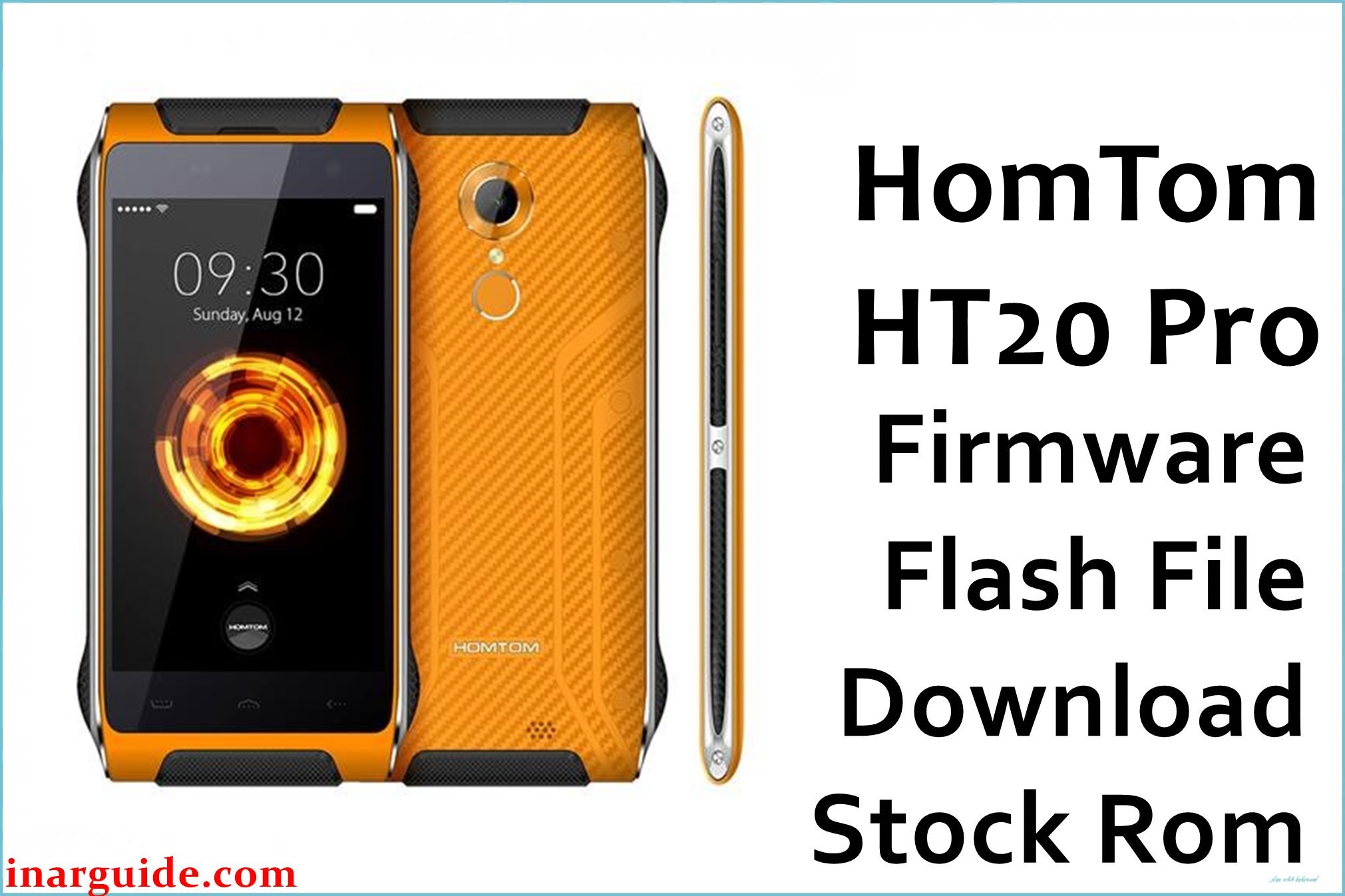
The HomTom HT20 Pro is a compact rugged smartphone with IP68 certification, a 4.7‑inch HD display, 3 GB RAM, 32 GB storage, and a 64‑bit MediaTek MT6753 octa‑core chipset running Android 6.0 Marshmallow. This model is often used in construction, field work, and outdoor environments where sudden power loss, storage stress, and physical shocks can trigger software issues such as bootloops, failed OTAs, or corrupted system files.
Installing the correct R10 stock firmware (HomTom_HT20_Pro_MT6753_R10_20170830_6.0) can help recover from soft‑bricks, restore factory software after custom ROMs or root, and improve stability after serious software faults, without guaranteeing resolution of every issue.
HomTom HT20 Pro Firmware Details
| Field | Details |
|---|---|
| Device Name | HomTom HT20 Pro rugged smartphone (IP68) |
| Model Identifier | HomTom HT20 Pro, 3 GB RAM / 32 GB storage variant |
| Codename | Commonly referenced in firmware as HomTom‑HT20‑Pro / full_hct6753_66 / MT6753 Android Marshmallow line (R10‑20170830 build) |
| Chipset / Platform | MediaTek MT6753, octa‑core Cortex‑A53 at 1.3 GHz, Mali‑T720 GPU |
| Launch Android Version | Android 6.0 Marshmallow |
| Current Firmware Line | Stock Android 6.0 ROM line, official R10 build dated 2017‑08‑30 (HomTom‑HT20‑Pro‑Android_6.0‑R10‑20170830) |
| Typical File Size Range | Approx. 800–900 MB compressed for full SP Flash Tool packages; this archive is about 860–861 MB. |
| Firmware Type | Scatter‑based stock ROM for SP Flash Tool (MT6753 platform, full partition images) |
| Flashing Tool | SP Flash Tool (Smart Phone Flash Tool) for MediaTek devices |
| Bootloader Requirement | Flashes via MTK preloader interface; typically works with the standard locked bootloader without fastboot OEM unlock. |
| Region / Branch Notes | Single global rugged hardware family; cross‑flashing non‑Pro HT20 or other MT6753 models is unsafe due to different cameras, modems, and sensors. |
⚠️ Flashing Risks & Disclaimer
Flashing this rugged model carries specific risks because the HomTom HT20 Pro uses a tightly integrated MT6753 platform with IP68 sealing, hardware keys, and dedicated sensor and modem drivers. Installing firmware meant for the non‑Pro HT20 or for a different MT6753 device can lead to missing cameras, non‑functional radios, broken fingerprint sensor support, or complete boot failure.
Using SP Flash Tool with options like “Format all + Download” on this phone can erase NVRAM and IMEI, which may cause permanent “invalid IMEI” errors, no network service, or mismatched LTE band behavior until the radio configuration is carefully restored. Interrupting the flash (for example, due to a loose cable in a workshop environment) while preloader or boot partitions are being written can also leave the device in a deep brick state that is harder to recover.
The firmware package referenced below is provided purely to restore original software on the HomTom HT20 Pro for legitimate owners. All ROM images, trademarks, and related assets remain the property of their respective rights holders, and no modification, reverse engineering, or unauthorized redistribution of copyrighted content is implied or endorsed.
Download Official Firmware for HomTom HT20 Pro
This package is an original stock ROM mirrored for preservation, as the manufacturer no longer provides public downloads for this model and build.
| Region / Variant | Filename | Build / Version | Android / Firmware Version | File Type | Build Date | File Size | Download Link |
|---|---|---|---|---|---|---|---|
| Global HomTom HT20 Pro (MT6753) | HomTom_HT20_Pro_MT6753_R10_20170830_6.0.zip | HomTom‑HT20‑Pro‑Android_6.0‑R10‑20170830 (official R10 Marshmallow build) | Android 6.0 Marshmallow stock ROM for HomTom HT20 Pro (MT6753) | Compressed SP Flash Tool scatter package (.zip; includes MT6753 scatter and partition images) | 30 August 2017 firmware build (R10 branch) | ≈ 860.78 MB (compressed archive) | Download HomTom HT20 Pro stock ROM (MediaFire mirror) |
Flashing Requirements
- PC & Operating System: A Windows PC (Windows 7 or newer recommended) with administrator rights to install MediaTek USB VCOM drivers for the HomTom HT20 Pro.
- Drivers & Tools: Install MTK USB VCOM/Preloader drivers and download a compatible SP Flash Tool version that supports MT6753‑based devices.
- Correct Firmware Package: Use only ROMs clearly marked for HomTom HT20 Pro R10 (Android 6.0‑20170830); do not flash HT20 (non‑Pro) or other MT6753 firmware, even if the device design looks similar.
- Bootloader & Modes: Flashing is performed through the MTK preloader interface with the phone powered off; the standard locked bootloader is usually sufficient, and fastboot OEM unlock is not required for SP Flash Tool restores.
- Battery & Cable: Charge the battery to at least 40–50% and use a stable USB cable and port, especially important in workshop or field environments where movement and vibration are common.
- Backup & Data Loss: Operations such as “Firmware Upgrade” or “Format all + Download” may erase user data, apps, settings, and NVRAM (IMEI and radio calibration); important data and original IMEI values should be backed up where possible.
- Device Verification: Confirm that the phone is a HomTom HT20 Pro with MT6753, 3 GB RAM, and 32 GB storage (not the MT6737‑based HT20) using printed specs, system info, or product stickers before flashing.
How to Flash the Firmware
- Download and extract the HT20 Pro ROM: Download the HomTom_HT20_Pro_MT6753_R10_20170830_6.0.zip package and extract it on the PC to access the MT6753 scatter file and full set of partition images for this rugged phone.
- Install MTK drivers and SP Flash Tool: Install the recommended MediaTek USB VCOM drivers for the HomTom HT20 Pro, then download, extract, and run SP Flash Tool (flash_tool.exe) with administrator privileges on Windows.
- Load the MT6753 scatter configuration: In SP Flash Tool, open the “Download” tab and load the MT6753_Android_scatter.txt file from the extracted firmware directory, checking that preloader, boot, recovery, system, and other partitions are correctly mapped for the HT20 Pro R10 build.
- Connect the powered‑off device in preloader mode: With the phone completely powered off, click “Download” (or “Firmware Upgrade” for a full restore) in SP Flash Tool, then connect the HT20 Pro via USB; the MT6753 preloader port should enumerate and start the flashing process automatically.
- Wait for first boot and verify rugged features: After SP Flash Tool shows a success indicator, disconnect the phone and power it on; the first Android 6.0 boot on this MT6753‑based rugged device can take several minutes, after which display, touch, network, fingerprint sensor, and basic IP68‑related buttons should be tested before returning it to field use.
For a step‑by‑step walkthrough of SP Flash Tool on MediaTek phones, see this guide: SP Flash Tool Mediatek firmware flashing guide.
Frequently Asked Questions (FAQs)
Is this firmware only for the HomTom HT20 Pro, not the regular HT20?
Yes. The R10 20170830 Android 6.0 ROM is designed for the MT6753‑based HT20 Pro with 3 GB RAM and 32 GB storage; flashing it on the MT6737‑based HT20 can cause serious compatibility issues or a no‑boot state.
Can this stock ROM help recover a rugged HT20 Pro that no longer boots?
A full reinstall of the official HT20 Pro firmware via SP Flash Tool is often effective for recovering from bootloops, failed root attempts, or corrupted system partitions, assuming that internal storage and other hardware remain intact despite harsh usage.
Does flashing this package erase user data and internal storage?
Flashing methods that use “Firmware Upgrade” or “Format all + Download” typically wipe installed apps, system settings, and may affect NVRAM; critical files should be backed up and original IMEI information preserved where possible before flashing.
Why is IMEI sometimes lost on the HomTom HT20 Pro after using SP Flash Tool?
If the NVRAM partition is formatted or overwritten during the flash, IMEI values and radio calibration data for the MT6753 modem can be erased, resulting in “invalid IMEI” and loss of network until those values are restored using appropriate tools.
Can this firmware be used to update from earlier HT20 Pro Marshmallow builds?
The R10 20170830 package can be used to move from earlier HT20 Pro Android 6.0 releases to this later maintenance build, but mix‑and‑match flashing of individual partitions from non‑matching ROMs is not recommended due to potential driver or modem mismatches.
Are there any SP Flash Tool errors that are common with this rugged model?
Users often encounter preloader handshake errors from missing drivers, scatter mismatches when attempting to load non‑Pro HT20 firmware, and checksum issues from corrupted downloads, all of which should be resolved before another flash attempt to avoid partial writes.
Does using this firmware affect IP68 certification or ruggedness?
Software flashing does not change the physical IP68 sealing, but incorrect ROMs can disable sensors, side keys, or radios used in rugged scenarios, so only HT20 Pro‑specific firmware such as the R10 20170830 build should be installed.





