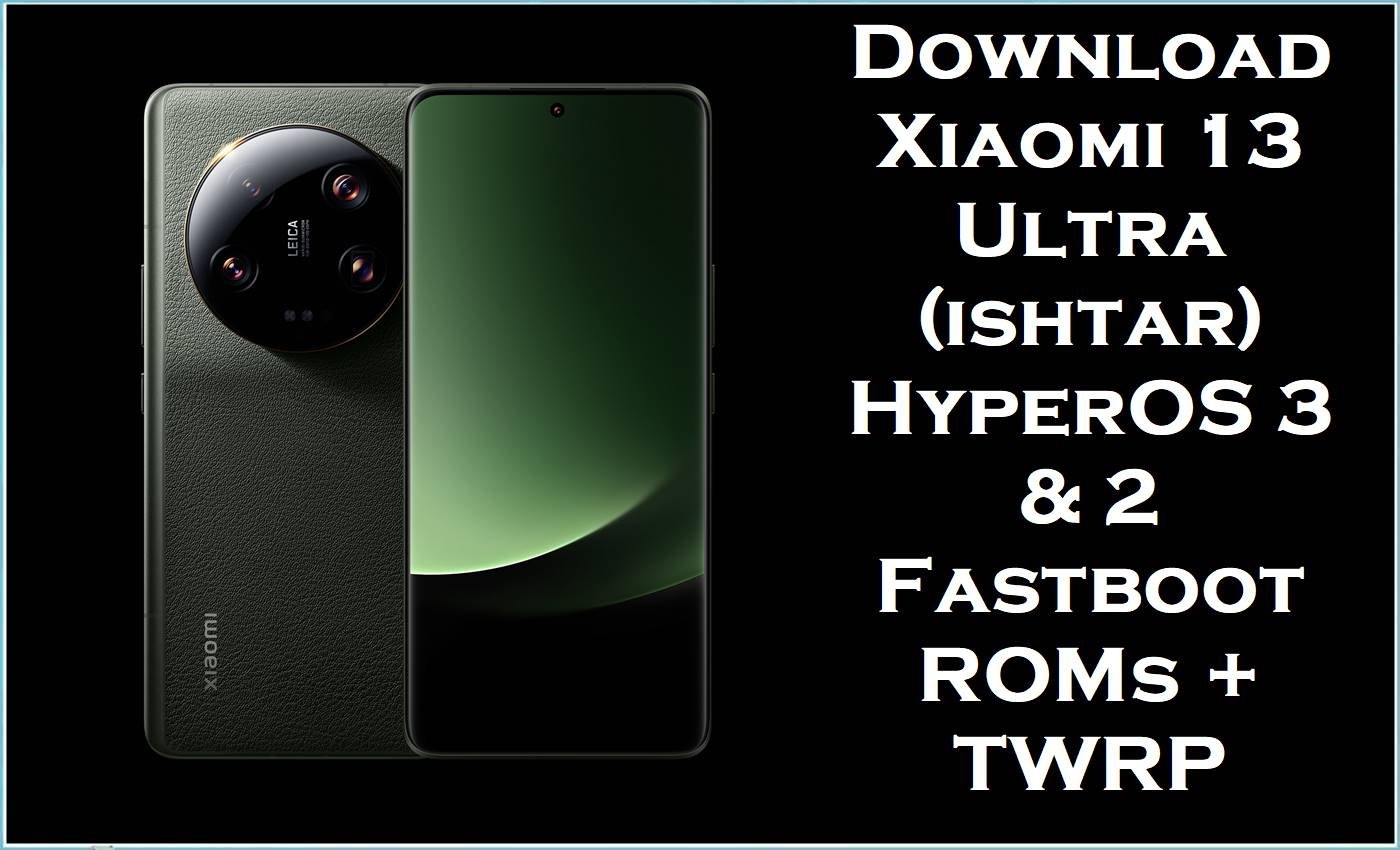
The Xiaomi 13 Ultra (codename ishtar) is a flagship camera‑centric smartphone featuring a 6.73‑inch LTPO AMOLED 120 Hz display, Snapdragon 8 Gen 2 chipset, up to 16 GB RAM, and Leica‑branded quad camera system. While HyperOS and MIUI bring rich features, many Xiaomi 13 Ultra users report bugs such as UI lag, random reboots, battery drain, overheating during camera use, and instability after major HyperOS updates.
The official stock ROM / stock firmware fastboot images listed below, including HyperOS 3.0.3.0 Android 16 China and HyperOS 2 Android 15 global regional builds, help fix bootloops, revert system modifications, restore stability, and provide clean installs for different regions, while the Xiaomi.eu custom ROM and TWRP image enable advanced customization on the Xiaomi 13 Ultra ishtar.
Xiaomi 13 Ultra (ishtar) Firmware Details
| Field | Details |
|---|---|
| Device Name | Xiaomi 13 Ultra |
| Model Identifiers | 2304FPN6DC (China), 2304FPN6DG (Global) and related variants, codename ishtar. |
| Chipset | Qualcomm Snapdragon 8 Gen 2 (4 nm), Adreno 740 GPU. |
| Display | 6.73″ WQHD+ LTPO AMOLED, 1–120 Hz, Dolby Vision, HDR10+. |
| Battery | 5000 mAh, 90 W wired, 50 W wireless fast charging. |
| Base OS | Initially Android 13 / MIUI, upgraded to HyperOS 2 (Android 15) and HyperOS 3 (Android 16). |
| Firmware Types on this Page | Official HyperOS fastboot ROM stock firmware (.tgz), Xiaomi.eu custom ROM (.zip), and TWRP recovery image (.img). |
| Key Versions | OS3.0.3.0.WMACNXM (CN, Android 16), OS2.0.208.0.VMAMIXM (Global, Android 15), OS2.0.204.0.VMAEUXM (EEA), OS2.0.204.0.VMARUXM (RU), OS2.0.204.0.VMATWXM (TW). |
| Android Versions | Android 16.0 for OS3.0.3.0.WMACNXM; Android 15.0 for OS2.0.20x.x VM A* region builds. |
| File Formats | .tgz fastboot images (stock ROM),.zip custom ROM,.img TWRP recovery. |
| Flashing Tools | Mi Flash Tool (fastboot ROM), custom recovery/TWRP for Xiaomi.eu zip, fastboot/fastbootd for recovery image. |
| Bootloader | Official firmware via fastboot typically requires unlocked bootloader for clean flash; OTA/recovery ROM uses locked bootloader. Xiaomi.eu ROM and TWRP require bootloader unlock and custom recovery. |
| Typical Use Cases | Fix bootloop/soft‑brick, downgrade/upgrade stock firmware, remove root/custom ROMs, switch between China/Global stock ROM (advanced), or install Xiaomi.eu HyperOS with TWRP. |
Download Official Firmware for Xiaomi 13 Ultra (ishtar)
The table below lists official HyperOS stock firmware flash file packages and related images for the Xiaomi 13 Ultra ishtar, organized by region and Android version. These stock ROM fastboot images are suitable for restoring official firmware, while the Xiaomi.eu ROM and TWRP image are for advanced users who want extended features and customization.
| Filename | Region / Variant | Build Version | Android / HyperOS | Build Date (pack) | File Size | Flashing Type | Download Link |
|---|---|---|---|---|---|---|---|
| ishtar_images_OS3.0.3.0.WMACNXM_20251202.0000.00_16.0_cn_3614ef8aba.tgz | China (CNXM) – Xiaomi 13 Ultra China models 2304FPN6DC. | OS3.0.3.0.WMACNXM | Android 16.0 / HyperOS 3 stable (China). | 2025‑12‑02 (package date). | 8.70 GB (approx., fastboot ROM) | Fastboot stock ROM / official firmware for Mi Flash Tool. | Download OS3.0.3.0 China (Mi Cloud) |
| ishtar_global_images_OS2.0.208.0.VMAMIXM_20251024.0000.00_15.0_global_2081c9f3c3.tgz | Global (MIXM) – Xiaomi 13 Ultra Global 2304FPN6DG. | OS2.0.208.0.VMAMIXM | Android 15.0 / HyperOS 2 Global stable. | 2025‑10‑24 | 7.65 GB | Fastboot ROM stock firmware – Mi Flash Tool. | Download OS2.0.208.0 Global (Mi Cloud) |
| ishtar_eea_global_images_OS2.0.204.0.VMAEUXM_20251027.0000.00_15.0_eea_29282e8c66.tgz | EEA (EUXM) – European models with EU regulations. | OS2.0.204.0.VMAEUXM | Android 15.0 / HyperOS 2 EEA stable. | 2025‑10‑27 | 7.53 GB | Fastboot ROM stock firmware – Mi Flash Tool. | Download OS2.0.204.0 EEA (Mi Cloud) |
| ishtar_ru_global_images_OS2.0.204.0.VMARUXM_20251203.0000.00_15.0_ru_6dbbf2b6a8.tgz | Russia (RUXM) – Russian regional firmware. | OS2.0.204.0.VMARUXM | Android 15.0 / HyperOS 2 RU stable. | 2025‑12‑03 | 7.59 GB | Fastboot ROM official firmware – Mi Flash Tool. | Download OS2.0.204.0 RU (Mi Cloud) |
| ishtar_tw_global_images_OS2.0.204.0.VMATWXM_20251203.0000.00_15.0_tw_af283e79a9.tgz | Taiwan (TWXM) – Xiaomi 13 Ultra Taiwan region. | OS2.0.204.0.VMATWXM | Android 15.0 / HyperOS 2 TW stable. | 2025‑12‑03 | 7.00 GB | Fastboot ROM stock firmware – Mi Flash Tool. | Download OS2.0.204.0 TW (Mi Cloud) |
| xiaomi.eu_ISHTAR_OS3.0.3.0.WMACNXM_16.zip | Xiaomi.eu custom ROM based on China OS3.0.3.0 for Xiaomi 13 Ultra. | OS3.0.3.0.WMACNXM (Xiaomi.eu mod) | Android 16.0 / HyperOS 3 (multilingual, Google services included). | Based on 2025‑12‑02 CN build | 6.66 GB | Custom ROM zip – flash via TWRP or another custom recovery. | Download Xiaomi.eu HyperOS 3.0 (SourceForge) |
| twrp-3.7.1_12-v9.0_A15-ishtar-skkk.img | TWRP custom recovery image for Xiaomi 13 Ultra ishtar. | TWRP 3.7.1_12 v9.0 A15 | Recovery environment, supports Android 14/15/16‑based ROMs. | Latest build linked (A15 base) | 100 MB | Recovery image – flash via fastboot or existing custom recovery. | Download TWRP for ishtar (SourceForge) |
These official firmware packages are designed to mitigate HyperOS issues on the Xiaomi 13 Ultra such as UI glitches, display anomalies, excessive battery drain, camera flickering, and random shutdowns by introducing optimized kernels, updated drivers, and bug fixes noted in HyperOS bug reports and subsequent firmware changelogs. Selecting the correct stock ROM or stock firmware for the exact model and region (for example, WMACNXM for China, VMAMIXM for Global) is essential to avoid version mismatch, failed flashes, or additional instability.
Flashing Requirements
- Confirmed device: Xiaomi 13 Ultra only, codename ishtar, with matching region code (WMACNXM, VMAMIXM, VMAEUXM, VMARUXM, VMATWXM) shown under About phone or via
fastboot getvar product. - Windows PC or laptop with reliable USB ports, latest Qualcomm and Xiaomi USB drivers, and Mi Flash Tool installed for fastboot stock ROM flashing.
- Original or high‑quality USB‑C cable to maintain a stable connection while flashing the stock ROM or custom ROM.
- Unlocked bootloader required for fastboot clean flash of official firmware, Xiaomi.eu ROM, and TWRP; follow Xiaomi’s official unlock procedure beforehand.
- Battery level of at least 60% and a complete backup of internal storage, as flashing stock firmware or custom flash files may erase user data on the Xiaomi 13 Ultra.
How to Flash the Firmware
The Xiaomi 13 Ultra ishtar supports both official HyperOS fastboot ROM flashing and custom ROM installation via TWRP. The steps below summarize each method so users can choose between pure stock firmware and Xiaomi.eu custom ROM.
Quick Steps – Official Fastboot ROM via Mi Flash Tool
- Download the correct ishtar fastboot.tgz stock ROM for the device’s region (China, Global, EEA, RU, TW), then extract the archive to a simple folder path on the PC.
- Install Xiaomi USB drivers and Mi Flash Tool, power off the Xiaomi 13 Ultra, and boot into fastboot mode using Volume Down + Power.
- Connect the phone to the PC, open Mi Flash Tool, click “select,” and choose the extracted firmware folder containing the fastboot images.
- Pick the desired option (for example, clean all) and press “flash,” waiting until Mi Flash Tool finishes successfully without disconnecting the device or interrupting power.
- Reboot the phone from Mi Flash or manually, then wait several minutes while HyperOS initializes and optimizes apps on the newly flashed official firmware.
Quick Steps – Flashing TWRP and Xiaomi.eu HyperOS ROM
- Unlock the Xiaomi 13 Ultra bootloader, then download both the TWRP ishtar image and the Xiaomi.eu_ISHTAR_OS3.0.3.0.WMACNXM_16.zip to the PC or device storage.
- Boot the phone into fastboot mode and use a fastboot command on the PC to temporarily boot or flash the TWRP recovery image for ishtar.
- From TWRP, optionally back up existing partitions, then wipe data, cache, and, if needed, system partitions to prepare for the Xiaomi.eu stock firmware installation.
- In TWRP, select the Xiaomi.eu HyperOS 3 ROM zip file and swipe to flash, waiting until the process completes with no errors.
- Reboot into system and allow extra time for the Xiaomi.eu ROM to boot for the first time, then sign in and restore data as needed.
For users who require detailed, step‑by‑step tutorials with screenshots and videos on using Xiaomi’s flashing utilities and related Qualcomm tools, a comprehensive Xiaomi Mi Flash Tool guide is available here: Xiaomi Mi Flash Tool full flashing guide, which explains ROM selection, driver installation, and additional safety precautions.
Frequently Asked Questions (FAQs)
What is the purpose of the ishtar_images_OS3.0.3.0.WMACNXM Android 16 firmware?
The ishtar_images_OS3.0.3.0.WMACNXM fastboot ROM is the official HyperOS 3 Android 16 stock firmware for the Xiaomi 13 Ultra China variant, used to perform a clean upgrade or restore factory software for Chinese models. It can help fix bootloops, remove root or custom ROMs, and resolve stability issues on devices originally shipped with China ROM.
How does the OS2.0.208.0.VMAMIXM stock ROM differ from the China WMACNXM firmware?
The OS2.0.208.0.VMAMIXM Global stock ROM for Xiaomi 13 Ultra ishtar includes full Google Mobile Services, extended language support, and global region customizations, whereas the China WMACNXM firmware lacks Google apps by default and carries China‑specific services and restrictions. Cross‑flashing between China and Global firmware is possible only for advanced users with an unlocked bootloader and always carries additional risk, especially regarding OTA updates and regional compatibility.
Can the Xiaomi.eu_ISHTAR_OS3.0.3.0.WMACNXM_16.zip be treated as official firmware?
The Xiaomi.eu_ISHTAR_OS3.0.3.0.WMACNXM_16.zip is a community‑maintained custom ROM based on official China HyperOS 3 firmware but modified to add multilingual support, Google services, and various tweaks. It is not an official stock ROM; installing it requires TWRP or another custom recovery on the Xiaomi 13 Ultra and may affect warranty and OTA behavior.
Does flashing these Xiaomi 13 Ultra stock ROM files erase user data?
Flashing ishtar fastboot ROMs through Mi Flash Tool in clean‑all mode usually wipes user data, including internal storage, apps, and settings on the Xiaomi 13 Ultra. Backing up important photos, documents, and other personal content is required before installing any stock firmware or flash file.
Can these HyperOS stock firmware builds fix HyperOS 2 and 3 bugs on the Xiaomi 13 Ultra?
Updated HyperOS 2 and HyperOS 3 builds for the Xiaomi 13 Ultra often address screen issues, UI glitches, unexpected shutdowns, and battery‑drain problems reported in Xiaomi’s own weekly HyperOS bug reports and changelog notes. Performing a clean flash of the correct regional stock ROM or official firmware can significantly improve stability compared with incremental OTA updates on a heavily modified system.
Is TWRP-3.7.1_12-v9.0_A15-ishtar-skkk.img required to flash stock ROMs?
No, TWRP for ishtar is only needed for flashing custom ROMs such as Xiaomi.eu or for performing advanced backups and modifications; the official stock firmware fastboot ROMs are designed for Mi Flash Tool and do not require TWRP. Installing TWRP itself requires an unlocked bootloader and use of fastboot commands or an existing custom recovery.
What should users check before flashing any ishtar stock firmware?
Before flashing, users should confirm that the phone is a Xiaomi 13 Ultra with codename ishtar, verify the region code in the ROM filename, and ensure that the Android/HyperOS version is compatible with the desired downgrade/upgrade path. It is also important to verify file integrity (for example, via MD5 checksums where available) to avoid corrupted firmware causing additional issues.





