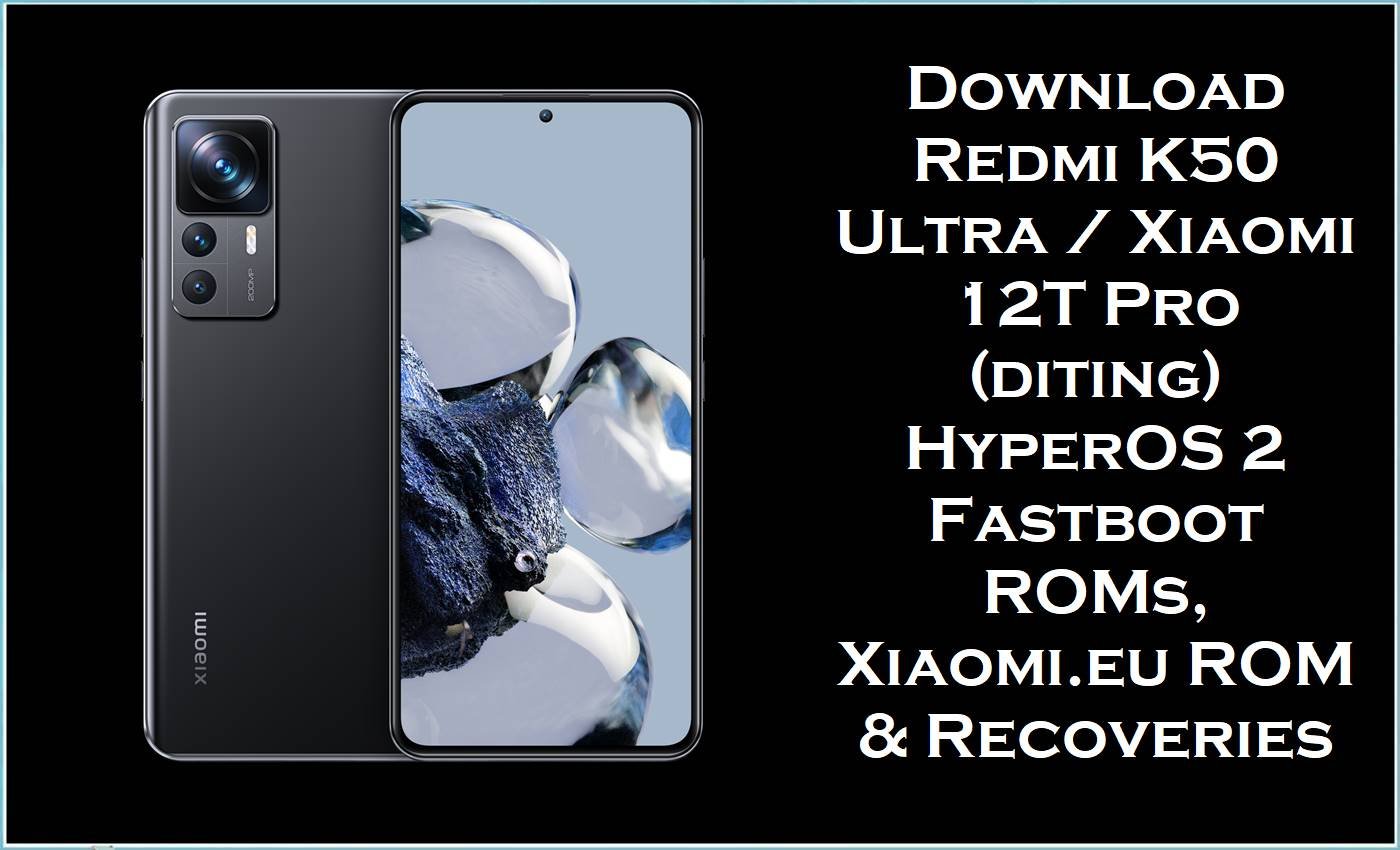
The Redmi K50 Ultra / Xiaomi 12T Pro (codename diting) is a flagship platform built on the Snapdragon 8+ Gen 1 with LPDDR5 RAM, UFS 3.1 storage, and a 120 Hz AMOLED display, offering high‑end gaming and camera performance. Over time, users have reported HyperOS and MIUI issues such as random UI lag, overheating, battery drain, minor display glitches, and instability after updates on diting devices.
The HyperOS 2 Android 15 stock firmware fastboot ROMs listed here, together with the Xiaomi.eu custom ROM and OrangeFox/TWRP recoveries, provide reliable ways to fix bootloops, revert modifications, restore official firmware, or install a tuned custom build on Redmi K50 Ultra / Xiaomi 12T Pro diting.
Xiaomi 12T Pro / Redmi K50 Ultra (diting) Firmware Details
| Field | Details |
|---|---|
| Device Name | Redmi K50 Ultra (China) / Xiaomi 12T Pro (Global) |
| Codename / Models | diting – Redmi K50 Ultra 22081212C (China) and Xiaomi 12T Pro global variants sharing the same codename. |
| Chipset | Qualcomm Snapdragon 8+ Gen 1 (SM8475), with Adreno high‑end GPU and 5G modem. |
| Display | 6.67–6.7″ AMOLED, 120 Hz refresh rate, high resolution and HDR support. |
| Base OS | Originally MIUI based on Android 12/13; now updated to HyperOS 1 (Android 14) and HyperOS 2 (Android 15). |
| Firmware Types Here | Official HyperOS 2 Android 15 stock ROM fastboot images (.tgz) for China/Global/EEA/RU/TW/TR/JP plus Xiaomi.eu HyperOS 2 custom ROM (.zip) and custom recoveries (OrangeFox, TWRP). |
| Main Versions Listed | OS2.0.210.0.VLFCNXM (CN), OS2.0.205.0.VLFMIXM (Global), OS2.0.204.0.VLFEUXM (EEA), OS2.0.203.0.VLFRUXM (RU), OS2.0.203.0.VLFTWXM (TW), OS2.0.203.0.VLFTRXM (TR), OS1.0.21.0.ULFJPXM (JP HyperOS 1 Android 14), plus xiaomi.eu_DITING_OS2.0.210.0.VLFCNXM_15. |
| Android Versions | Android 15.0 for OS2.0.20x.x HyperOS 2 builds; Android 14.0 for OS1.0.21.0.ULFJPXM HyperOS 1 Japan. |
| File Formats | .tgz fastboot ROMs (stock ROM / stock firmware),.zip Xiaomi.eu HyperOS ROM,.zip OrangeFox recovery,.img TWRP recovery. |
| Flashing Tools | Mi Flash Tool for official fastboot ROMs; fastboot and/or custom recovery (OrangeFox, TWRP) for Xiaomi.eu and custom operations. |
| Bootloader | Unlocked bootloader required for clean fastboot flashing and all custom ROM/recovery installs; locked bootloader used only for official OTA/recovery updates. |
| Typical Use Cases | Fix bootloops or soft‑bricks, revert to official stock firmware, switch between China/Global/EEA/RU/TW/TR/JP builds, or install Xiaomi.eu HyperOS with OrangeFox/TWRP for enhanced features. |
⚠️ Flashing Risks & Disclaimer
- Flashing firmware on Xiaomi 12T Pro / Redmi K50 Ultra (diting) is a high-risk operation.
- Using the wrong stock ROM, incorrect regional build, or interrupted flashing process may cause hard-brick, bootloops, total data loss, modem failure, system instability, security vulnerabilities, or permanent damage.
- All firmware files, recoveries, and tools are provided “as is” with no warranties, express or implied.
- The website, authors, and contributors assume no responsibility for damage, data loss, or device malfunction.
- Verify the codename “diting”, confirm the correct region (CN, Global, EEA, RU, TW, TR, JP), and back up all personal data before proceeding.
- Flashing is performed entirely at the user’s own risk.
Download Official Firmware for Redmi K50 Ultra / Xiaomi 12T Pro (diting)
The following table lists HyperOS 2 Android 15 fastboot ROM stock firmware files for diting in multiple regions, plus the Japan HyperOS 1 Android 14 fastboot ROM, Xiaomi.eu HyperOS custom ROM, and OrangeFox/TWRP custom recoveries. These stock ROM and flash file options cover most common scenarios from full restoration to custom setup.
| Filename | Region / Variant | Build Version | Android / HyperOS | Build Date | File Size | Flashing Type | Download Link |
|---|---|---|---|---|---|---|---|
| diting_images_OS2.0.210.0.VLFCNXM_20251107.0000.00_15.0_cn_4c43833361.tgz | China (CNXM) – Redmi K50 Ultra China HyperOS 2 stable. | OS2.0.210.0.VLFCNXM | Android 15.0 / HyperOS 2.0 China. | 2025‑11‑07 (fastboot package date; recovery OS2.0.210.0 noted around late Nov 2025). | 6.88 GB | Fastboot stock ROM / stock firmware – flash via Mi Flash Tool. | Download OS2.0.210.0 China (Mi Cloud) |
| diting_global_images_OS2.0.205.0.VLFMIXM_20251106.0000.00_15.0_global_bf7e517a0d.tgz | Global (MIXM) – Xiaomi 12T Pro / Redmi K50 Ultra Global. | OS2.0.205.0.VLFMIXM | Android 15.0 / HyperOS 2 Global stable. | 2025‑11‑06 | 6.25 GB | Fastboot ROM stock firmware – Mi Flash Tool. | Download OS2.0.205.0 Global (Mi Cloud) |
| diting_eea_global_images_OS2.0.204.0.VLFEUXM_20251024.0000.00_15.0_eea_52dc4fb885.tgz | EEA (EUXM) – European Economic Area firmware with EU regulations. | OS2.0.204.0.VLFEUXM | Android 15.0 / HyperOS 2 EEA stable. | 2025‑10‑24 | 6.32 GB | Fastboot ROM stock firmware – Mi Flash Tool. | Download OS2.0.204.0 EEA (Mi Cloud) |
| diting_ru_global_images_OS2.0.203.0.VLFRUXM_20251107.0000.00_15.0_ru_8612932cc5.tgz | Russia (RUXM) – Xiaomi 12T Pro / Redmi K50 Ultra RU region. | OS2.0.203.0.VLFRUXM | Android 15.0 / HyperOS 2 RU stable. | 2025‑11‑07 | 6.18 GB | Fastboot ROM official firmware – Mi Flash Tool. | Download OS2.0.203.0 RU (Mi Cloud) |
| diting_tw_global_images_OS2.0.203.0.VLFTWXM_20251107.0000.00_15.0_tw_48c429c935.tgz | Taiwan (TWXM) – Xiaomi 12T Pro / Redmi K50 Ultra TW region. | OS2.0.203.0.VLFTWXM | Android 15.0 / HyperOS 2 TW stable. | 2025‑11‑07 | 5.90 GB | Fastboot ROM stock firmware – Mi Flash Tool. | Download OS2.0.203.0 TW (Mi Cloud) |
| diting_tr_global_images_OS2.0.203.0.VLFTRXM_20251107.0000.00_15.0_tr_41e32ad296.tgz | Turkey (TRXM) – Xiaomi 12T Pro / Redmi K50 Ultra TR region. | OS2.0.203.0.VLFTRXM | Android 15.0 / HyperOS 2 TR stable. | 2025‑11‑07 | 6.02 GB | Fastboot ROM stock ROM – Mi Flash Tool. | Download OS2.0.203.0 TR (Mi Cloud) |
| diting_jp_global_images_OS1.0.21.0.ULFJPXM_20251114.0000.00_14.0_jp_d651da91d8.tgz | Japan (JPXM) – Xiaomi 12T Pro Japan HyperOS 1 Android 14 firmware. | OS1.0.21.0.ULFJPXM | Android 14.0 / HyperOS 1 JP stable. | 2025‑11‑14 | 5.74 GB | Fastboot ROM stock firmware – Mi Flash Tool. | Download OS1.0.21.0 JP (Mi Cloud) |
| xiaomi.eu_DITING_OS2.0.210.0.VLFCNXM_15.zip | Xiaomi.eu HyperOS 2 custom ROM for diting based on China OS2.0.210.0.VLFCNXM. | OS2.0.210.0.VLFCNXM (Xiaomi.eu build) | Android 15.0 / HyperOS 2, multilingual and Google‑integrated custom ROM. | Based on Nov 2025 China stable release. | 5.39 GB | Custom ROM zip – flash via custom recovery (OrangeFox/TWRP) after bootloader unlock. | Download Xiaomi.eu HyperOS 2 (SourceForge) |
| OrangeFox-R11.3_1-Unofficial-diting.zip | OrangeFox custom recovery for Redmi K50 Ultra / Xiaomi 12T Pro diting. | R11.3_1 (Unofficial build) | Custom recovery environment compatible with Android 12/13/14/15‑based ROMs. | Latest shared build for diting (A13+ support). | 53 MB | Recovery zip – typically flashed from an existing custom recovery or fastboot‑booted image (depending on package contents). | Download OrangeFox for diting (SourceForge) |
| twrp-3.7.1_12-v9.0_A15-diting-skkk.img | TWRP 3.7.1 custom recovery image for diting. | TWRP 3.7.1_12 v9.0 A15 | Custom recovery image supporting Android 12–15 ROMs. | Latest A15‑ready TWRP build by skkk for diting. | 100 MB | Recovery image – flash or boot via fastboot to manage backups, wipes, and custom ROM installs. | Download TWRP for diting (SourceForge) |
These HyperOS stock firmware packages bundle updated kernels, drivers, UI improvements, and security patches that address bugs such as minor display artifacts, system crashes, and performance drops reported in previous builds. The Xiaomi.eu HyperOS ROM further refines the experience with reduced bloat, enhanced translations, and pre‑integrated Google services while remaining close to the official firmware base for diting.
Flashing Requirements
- Correct device: Confirm the phone is Redmi K50 Ultra (China) or Xiaomi 12T Pro (Global) with codename diting via About phone or
fastboot getvar product; do not flash these images on non‑diting models. - A Windows PC or laptop with reliable USB ports, updated Qualcomm USB drivers, and Xiaomi Mi Flash Tool installed for stock fastboot ROM flashing.
- Platform‑tools (ADB/Fastboot) and, for custom ROMs, a working custom recovery such as OrangeFox or TWRP specific to diting.
- Unlocked bootloader, required for fastboot stock firmware clean flashes and mandatory for Xiaomi.eu HyperOS and custom recovery installation.
- Battery level at 60% or higher and a full backup of internal storage, because stock ROM and flash file operations can erase all user data.
How to Flash the Firmware
Redmi K50 Ultra / Xiaomi 12T Pro diting supports both official HyperOS fastboot ROM flashing via Mi Flash Tool and custom ROM flashing using OrangeFox or TWRP. The essential steps below provide an overview of each primary method.
Quick Steps – HyperOS 2 Fastboot ROM via Mi Flash Tool
- Download the correct diting fastboot ROM (.tgz) for the device’s original region (for example, OS2.0.210.0.VLFCNXM for China or OS2.0.205.0.VLFMIXM for Global) and extract it to a short folder path on the PC.
- Install Qualcomm USB drivers and Mi Flash Tool, power off the device, and boot into fastboot mode by holding Volume Down + Power.
- Connect the phone to the PC, open Mi Flash Tool, click “select,” and choose the extracted stock firmware folder containing the fastboot images.
- Choose the flashing mode (usually “clean all” for a fresh installation), click “flash,” and wait until Mi Flash Tool completes successfully without disconnecting the device.
- Reboot the Redmi K50 Ultra / Xiaomi 12T Pro and give HyperOS several minutes to initialize and optimize apps on the newly installed stock firmware.
Quick Steps – Installing Xiaomi.eu HyperOS 2 via OrangeFox/TWRP
- Unlock the bootloader, then download xiaomi.eu_DITING_OS2.0.210.0.VLFCNXM_15.zip and either OrangeFox‑R11.3_1‑Unofficial‑diting.zip or twrp-3.7.1_12-v9.0_A15-diting-skkk.img.
- Boot the phone into fastboot mode and either temporarily boot TWRP with fastboot or flash the chosen recovery (depending on the method being followed).
- In OrangeFox/TWRP, create a backup if desired, then wipe data, cache, and (if required) system partitions to prepare for Xiaomi.eu HyperOS installation.
- Flash xiaomi.eu_DITING_OS2.0.210.0.VLFCNXM_15.zip from internal storage or external OTG, and wait until the custom ROM installation completes with no errors.
- Reboot to system and allow extra time for the Xiaomi.eu HyperOS 2 ROM to boot for the first time, then complete setup and restore backups.
For step‑by‑step custom‑recovery usage (including OrangeFox and TWRP concepts, partition backups, and ROM flashing best practices), detailed visual tutorials are available from recovery projects and community guides.
Frequently Asked Questions (FAQs)
What is OS2.0.210.0.VLFCNXM for Redmi K50 Ultra / Xiaomi 12T Pro diting?
OS2.0.210.0.VLFCNXM is a HyperOS 2 Android 15 China stable firmware build for the Redmi K50 Ultra / Xiaomi 12T Pro diting, distributed as both recovery and fastboot ROMs. The daiting_images_OS2.0.210.0.VLFCNXM fastboot ROM listed on this page is used to perform clean installs, fix bootloops, or revert to official stock firmware.
Can Global Xiaomi 12T Pro devices use the VLFCNXM China ROM?
Cross‑flashing between China (VLFCNXM) and Global (VLFMIXM) firmware on diting is technically possible for experienced users with unlocked bootloaders, but it adds risk, may affect OTA behavior, and can introduce regional feature mismatches. For maximum stability, using the stock ROM that matches the device’s original region code is strongly recommended.
Is xiaomi.eu_DITING_OS2.0.210.0.VLFCNXM_15.zip an official stock firmware?
No, xiaomi.eu_DITING_OS2.0.210.0.VLFCNXM_15.zip is a custom ROM built by the Xiaomi.eu community based on the official China HyperOS 2.0.210.0 VLFCNXM firmware with added languages, Google services, and optimizations. It requires a custom recovery such as OrangeFox or TWRP and an unlocked bootloader and is not supported by Xiaomi’s official OTA system.
Do these HyperOS stock ROMs and Xiaomi.eu ROM wipe data on diting?
Fastboot flashes using “clean all” and Xiaomi.eu installs that format data will erase apps, settings, and internal storage on Redmi K50 Ultra / Xiaomi 12T Pro. Full backups are required before using any stock firmware, flash file, or custom ROM on diting.
Can HyperOS 2 updates help fix overheating, lag, or UI bugs on Redmi K50 Ultra / Xiaomi 12T Pro?
Changelogs for recent HyperOS 2 builds on diting highlight system stability improvements, UI bug fixes, and updated security patches designed to address errors, display issues, and performance inconsistencies. A clean installation of the latest appropriate HyperOS 2 stock ROM often provides better stability than incremental OTA updates on a modified system.
What role do OrangeFox and TWRP play for diting users?
OrangeFox‑R11.3_1‑Unofficial‑diting and twrp-3.7.1_12-v9.0_A15-diting-skkk.img are custom recoveries that allow full backups, advanced wipes, and installation of custom ROMs such as Xiaomi.eu HyperOS 2 on Redmi K50 Ultra / Xiaomi 12T Pro. They are not required for flashing official fastboot stock ROMs with Mi Flash Tool but are highly useful when customizing the device or maintaining custom firmware.





