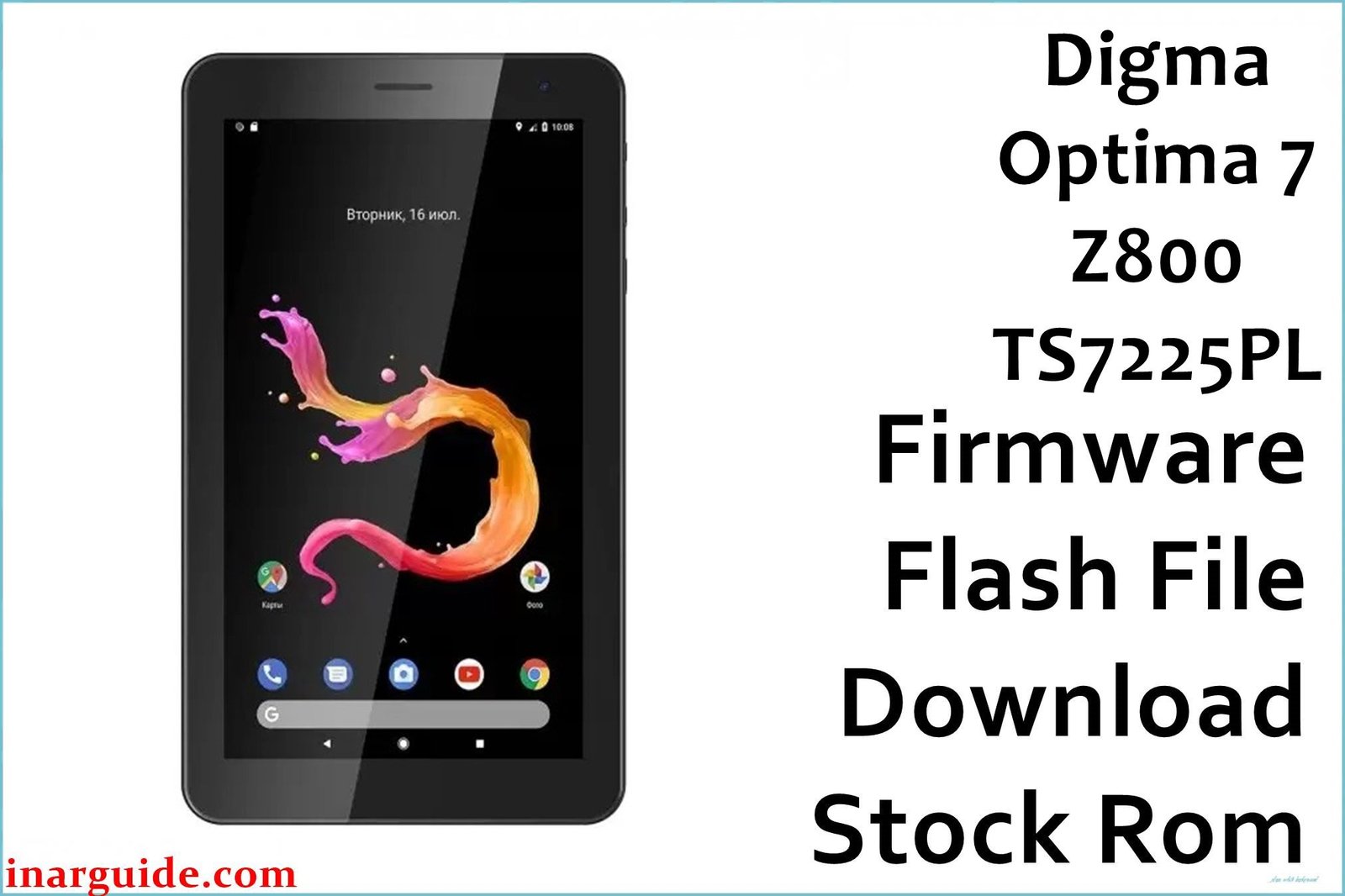
Restore your Digma Optima 7 Z800 (TS7225PL) tablet to its original factory condition with the official stock firmware. This flash file is essential for users experiencing critical software issues such as bootloops (stuck on the Digma logo), persistent application crashes, system lag, or malware infections that a simple factory reset cannot resolve. By flashing the stock ROM, you perform a clean installation of the operating system, effectively fixing corrupted system files, removing forgotten screen locks, and ensuring your device runs as intended by the manufacturer.
🚨 Critical Pre-Flash Warning
Flashing will permanently erase all data on your Digma Optima 7 Z800, including photos, apps, contacts, and personal files. Create a complete backup before proceeding. Using this firmware on a different hardware revision (e.g., Rev2) can lead to a hard brick, rendering your tablet completely unusable. Ensure your device is charged to at least 50% to prevent unexpected shutdowns during the flashing process.
Device Specifications Verification
Confirm these specifications match your device before flashing:
| Specification | Details |
|---|---|
| Device Name | Digma Optima 7 Z800 (TS7225PL) |
| Release Date | 2020 |
| Chipset | Spreadtrum SC7731E (Quad-core 1.3 GHz Cortex-A7) |
| GPU | Mali-T820 MP1 |
| Display | 7.0″ TFT IPS, 1024×600 pixels |
| RAM/Storage | 2GB RAM / 16GB internal storage |
| Battery | 2200mAh Li-Ion |
| Android Version | Android 9.0 Pie (Go Edition) |
| Key Features | 3G network support, basic 0.3MP front and rear cameras |
Official Firmware Download
| Filename | Date | Region | Android | Size | Download Link |
|---|---|---|---|---|---|
| Digma_Optima_7_Z800_TS7225PL_Rev1_200907_SPD.zip | Jul 2020 | Global/RU | 9.0 | 1.45GB | Download (Google Drive) |
⭐ Recommendation: This is the official factory firmware for the hardware Revision 1 (Rev1) board. Verify your tablet’s revision before flashing to ensure compatibility and prevent bricking your device.
Required Tools & Drivers
- SPD Upgrade Tool (latest version recommended)
- Spreadtrum USB Drivers
- Digma Optima 7 Z800 firmware package (from the table above)
Driver Installation Notes:
- On Windows 10/11, you may need to disable driver signature enforcement to install the Spreadtrum drivers correctly.
- Install drivers before connecting your phone or launching the SPD Upgrade Tool.
Quick Digma Optima 7 Z800 Firmware Flashing Instructions
- Begin by installing the Spreadtrum USB Drivers on your PC.
- Extract the downloaded Digma firmware file and the SPD Upgrade Tool zip files into separate folders.
- Open the SPD Upgrade Tool folder and run
UpgradeDownload.exeas an administrator. - Click the single gear icon (“Load Packet”) and navigate to the extracted firmware folder to select the
.pacfile. - After the file loads, click the play icon (“Start Downloading”).
- Power off your Digma tablet completely.
- Press and hold the Volume Down button, and while holding it, connect the tablet to your PC via a USB cable.
- The tool will detect the device and the flashing process will begin. You can release the volume button once the progress bar appears.
- Wait for the process to complete, indicated by a green “Passed” message.
For in-depth instructions and error solutions for the SPD Upgrade Tool, please visit our complete guide: How to Use the SPD Upgrade Tool to Flash Your Smartphone.
Troubleshooting & Optimization Guide
-
Problem: Tablet is stuck in a bootloop (Digma logo).
This is a classic sign of software corruption. Flashing the official stock firmware as described above is the most direct and effective solution. It completely rewrites the system partition, resolving the files causing the bootloop.
-
Problem: SPD Upgrade Tool does not detect the tablet.
This is almost always a driver issue. Ensure you’ve correctly installed the Spreadtrum drivers (with driver signature enforcement disabled if necessary). Try a different USB port and a high-quality USB cable. Make sure you press and hold the Volume Down key before connecting the cable.
-
Problem: The tablet runs extremely slow, even after a factory reset.
With 2GB of RAM and a budget chipset, performance is limited. After flashing the clean firmware, avoid installing resource-heavy applications. Opt for “Go” or “Lite” versions of apps (e.g., Facebook Lite, Google Maps Go). Disable animations in Developer Options to improve interface responsiveness.
-
Problem: Persistent ads and pop-ups (malware infection).
Malware can sometimes survive a factory reset. The only guaranteed way to remove it is by re-flashing the stock firmware. This formats the system and erases any malicious code that has integrated itself into the OS.
Frequently Asked Questions
- Will this firmware update my Android version?
- No, this is a restoration firmware for Android 9.0 Pie (Go Edition). The Digma Optima 7 Z800 is not scheduled to receive official Android version upgrades. This package will reinstall the original, factory-specified OS.
- Does flashing remove the Google Account (FRP) Lock?
- Flashing this firmware will wipe the device but may not automatically remove Factory Reset Protection (FRP). If you previously had a Google account synced, you will be required to enter those credentials after the first boot. Ensure you know your login details before you begin.
- I have the same tablet, but it’s a different hardware revision. Can I use this file?
- Absolutely not. This firmware is specifically built for the TS7225PL Rev1 motherboard. Using it on a different revision can lead to a “hard brick,” where the device becomes completely unresponsive and unrecoverable.
- What is the “.pac” file inside the firmware ZIP?
- The
.pacfile is a packed firmware file used by the Spreadtrum/UNISOC Upgrade Tool. It contains all the necessary partitions—system, boot, recovery, etc.—in a single package for flashing.
Conclusion
Flashing the official stock firmware for the Digma Optima 7 Z800 (TS7225PL) is the ultimate solution for resolving deep-seated software issues, from annoying bootloops and system lag to stubborn malware. By following the guide carefully and using the correct tools, you can restore your budget tablet to a clean, stable, and functional state. Remember to double-check that your device is the Rev1 hardware version before you start.
Success? Share your experience in the comments. Did this guide help you revive your Digma tablet? Your feedback helps other users facing similar issues!





