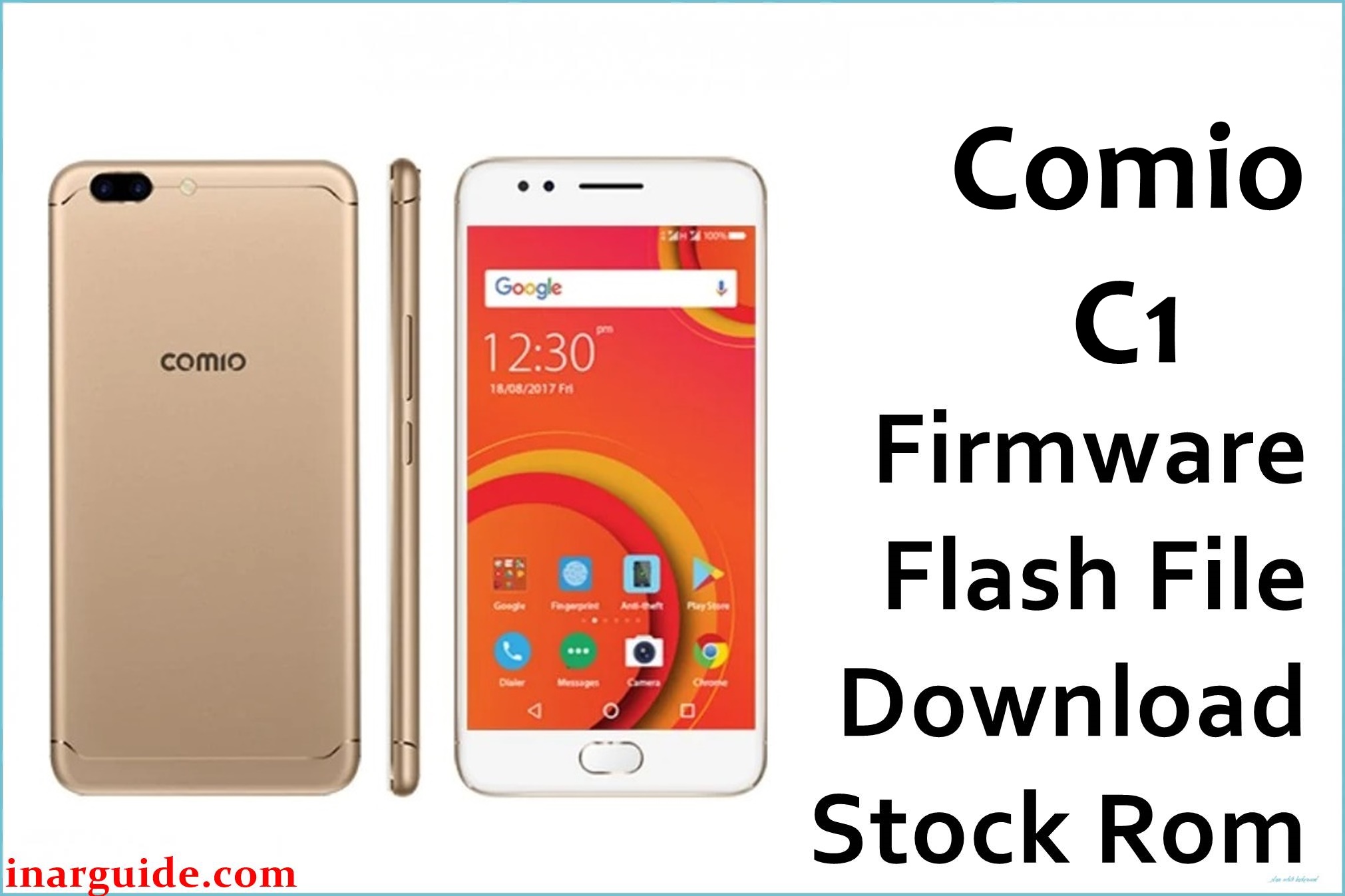
Comio C1 is an affordable Android smartphone launched in India with a 5‑inch HD display, MediaTek MT6737 quad‑core processor, 1GB RAM, 32GB storage, 4G support and Android 7.0 Nougat out of the box.
The Comio_C1_171014_7.0_CPB.zip (about 1–1.37GB) is an official‑type CPB firmware package created to reinstall the full stock ROM, fix bootloop and hang‑on‑logo problems, clear corrupted system files, and recover many software‑related issues on the Comio C1.
Comio C1 Firmware Details
| Detail | Information |
|---|---|
| Device Name | Comio C1 |
| Model | Comio C1 (India) |
| Chipset / CPU | MediaTek MT6737, 1.3GHz quad‑core |
| GPU | Mali‑T720 MP2 |
| RAM | 1GB |
| Internal Storage | 32GB, expandable via microSD (up to 128GB, hybrid slot) |
| Display | 5.0‑inch IPS, 1280 × 720 (HD), ~294ppi |
| Rear Camera | 8MP with autofocus and LED flash |
| Front Camera | 5MP |
| Battery | ≈2200–2700mAh Li‑Po (non‑removable, reported differently by sources) |
| Network | Dual‑SIM, 3G/4G, Wi‑Fi, Bluetooth |
| OS Version | Android 7.0 Nougat (stock) |
| Firmware Name | Comio_C1_171014_7.0_CPB.zip |
| Build Version | 171014 (dated 14‑10‑2017) |
| Firmware Type | CPB package (flashed with YGDP / CPB tools) |
| Approx. File Size | 1.37GB (compressed ZIP) |
This CPB firmware is ONLY for Comio C1 (Android 7.0, MT6737, 1GB RAM / 32GB storage). Using it on other models like Comio C1 Pro, C2, S1 or P1 may cause permanent hard‑brick, IMEI loss or network damage.
Download Official Firmware for Comio C1
| Filename | Size | Build Date | Version | Android | Flash Type | Region / Notes | Download |
|---|---|---|---|---|---|---|---|
| Comio_C1_171014_7.0_CPB.zip | ≈1–1.37GB | 14 October 2017 (171014) | 171014 | Android 7.0 Nougat | CPB firmware (YGDP / CPB flashing) | Official‑style stock ROM for Indian Comio C1 units; intended to fix bootloop, hang on logo, severe lag, app crashes, and other software issues. | Download (MediaFire) |
This file is ideal if your Comio C1 doesn’t boot properly, keeps looping on the logo, becomes unusably slow, or shows system/app errors after previous modifications or resets.
Flashing Requirements
- Windows PC (Windows 7/8/10/11) with administrator access.
- YGDP Tool (or compatible CPB flashing utility) that supports Comio C1 CPB files.
- Installed Comio/MediaTek USB drivers (from the firmware package or official driver pack).
- Comio_C1_171014_7.0_CPB.zip fully downloaded and extracted to a folder on the PC.
- Good quality USB data cable and a stable USB port.
- Phone battery charged to at least 50% to avoid shutdown during flashing.
- Backup of all important data where possible, since full firmware flashing can erase internal storage.
How to Flash the Firmware
- Download and extract the Comio C1 firmware package; inside you should find the CPB file, YGDP (or flashing tool), USB drivers, and a basic how‑to guide.
- Install the provided USB drivers, then launch YGDP Tool on your PC and select or configure the correct CPB firmware file for Comio C1.
- Power OFF the phone completely, click the “Start/Upgrade/Download” button in YGDP, then connect the C1 to the PC with USB (often while holding a volume key, if required by your tool setup).
- Wait for YGDP to detect the device and complete the flashing process; do not disconnect the cable until the status shows success or 100%.
- Disconnect the cable and power on the phone; the first boot after a full flash may take several minutes, so be patient.
For a full step‑by‑step CPB flashing tutorial (screenshots and detailed options), follow this guide: How to use QGDP/QGDP Tool to flash CPB firmware.
All firmware links and tools are provided without any warranty. The publisher cannot be held responsible for bricked devices, data loss, warranty void, IMEI/network issues or any hardware damage that may occur while flashing your Comio C1. If flashing fails or you see driver/port errors, note the exact error message and share it in the comments so the community can help diagnose cable, driver, or tool problems.
Frequently Asked Questions (FAQs)
What issues can this Comio C1 CPB firmware fix?
It can resolve bootloops, “stuck on Comio logo” problems, repeated app crashes, and many software‑side performance issues by reinstalling the full stock Android 7.0 system and related partitions.
Will flashing this erase my apps and personal data?
Yes, a complete firmware flash typically wipes user data stored in internal memory, so contacts, apps and files may be removed; always back up anything important before you start if the phone is still accessible.
How can I be sure that my phone is the correct Comio C1 model?
Check the sticker on the box or under Settings → About phone when possible; it should clearly list “Comio C1” with 5‑inch HD display, MT6737 quad‑core CPU, 1GB RAM and 32GB internal storage.
Can I use this Comio C1 firmware on the Comio C1 Pro or other Comio models?
No, each model (C1, C1 Pro, C2, S1, P1, etc.) has its own firmware; using the wrong CPB on a different device can cause permanent brick or modem/IMEI problems and is strongly discouraged.
YGDP does not detect my Comio C1 or flashing stops with an error – what should I do?
Reinstall the USB drivers, try another cable and USB port, ensure the phone is fully powered off before connection, and verify that you loaded the Comio_C1_171014_7.0_CPB file; many detection and boot issues come from driver or connection problems.





