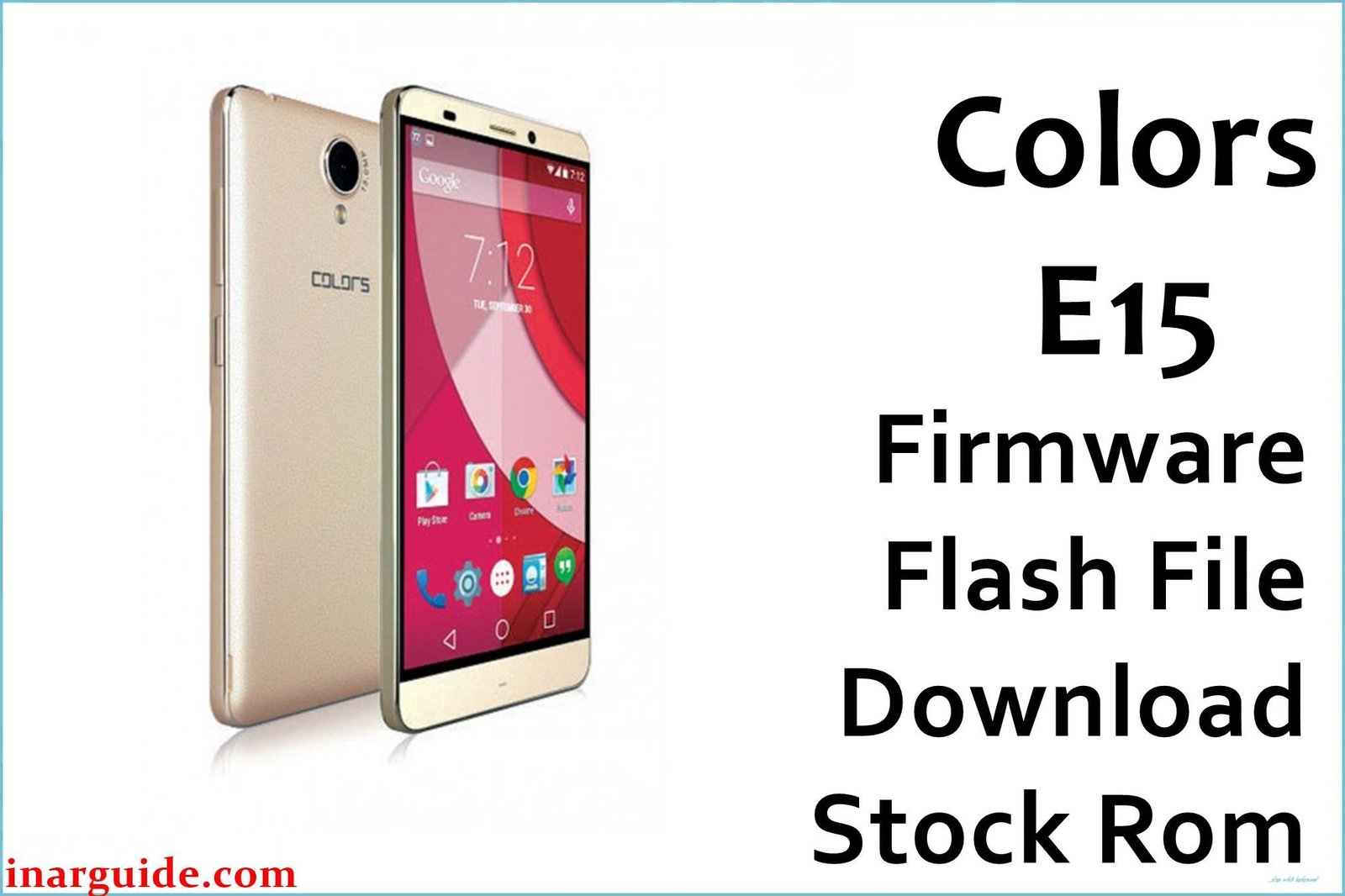
The Colors Elite E15 was released in mid-2016 as a power-focused budget Android device for Nepal and neighboring regions. Sporting a massive 5000 mAh battery and lightweight plastic build, it runs on a quad-core MediaTek MT6580 (1.3 GHz) processor with 2GB DDR3 RAM and 16GB internal storage (expandable to 32GB). Featuring a bright 5-inch display (HD, textured back for grip), dual SIM slots (3G+2G), Android 5.1 Lollipop, and both super and extreme battery saving modes, the E15 aims for all-day performance and reliability.
In practice, users have noted strengths such as battery life and call clarity, but also highlighted real problems including RAM management, overheating with intensive apps, mediocre camera quality (noisy images, limited low light range), network drop issues, and lag in heavy use. Official Colors E15 firmware download solves bootloops, crashing, and bricked system problems, restoring device stability and performance.
Critical Notice: Before You Proceed
Flashing Colors E15 firmware deletes all data, apps, contacts, and IMEI. Backup personal files and notes before starting. This is only for experienced users—errors can lead to permanent network loss or device failure. Confirm Elite E15 (MT6580) model before flashing.
Quick Device Specs (Colors E15)
- Device Name / Model:
- Colors Elite E15
- Release Year:
- 2016 (May–June)
- Chipset/Codename:
- MediaTek MT6580 (1.3 GHz quad-core)
- Display:
- 5″ HD, textured back panel
- Battery:
- 5000 mAh, non-removable
- RAM / Storage:
- 2GB RAM / 16GB internal, microSD up to 32GB
- Original OS:
- Android 5.1 Lollipop
- Special Features:
- Extreme/Super battery mode, dual SIM (3G+2G), theme engine, big battery warranty
Required Downloads
- SP Flash Tool
- MediaTek VCOM USB Drivers
- Colors Elite E15 Firmware (MT6580, Stock ROM) (see table below)
| Filename / Version (Build Date) | Android Version | Size | Download Link |
|---|---|---|---|
| Colors_E15_V10_MT6580_20160603 (June 2016) | 5.1 Lollipop | 894 MB | Download (MediaFire) |
How to Flash Colors E15 Firmware (SP Flash Tool)
- Unzip Colors_E15_V10_MT6580_20160603.zip and locate the scatter file in the firmware folder.
- Install MediaTek VCOM USB Drivers for your PC.
- Launch SP Flash Tool and load the MT6580 scatter file.
- Switch off E15, connect via USB (use Vol Down if undetected).
- Click “Download” and wait for “Download OK”, then safely disconnect and power on.
- See How to Flash Stock Firmware to MediaTek MTK Smartphones for visuals.
Troubleshooting: Real-World Problems & Solutions
1. Overheating & Lag During High-End Gaming
E15 heats up quickly if used for graphic-intensive games; frame drops are common after 15–20 minutes. Reduce screen brightness, close background apps, and avoid gaming during charging. If excessive heating occurs after flashing, clear cache and monitor for rogue apps.
2. Camera Noise & Poor Dynamic Range
Main camera (8MP) suffers from noise and limited detail, especially in low light. Better results are achieved outdoors in direct sunlight; using HDR mode improves color but not sharpness. Third-party camera apps may offer improvement, but hardware is the main limitation.
3. RAM Management Issues & App Crashes
Despite 2GB RAM, system routinely uses more than 1GB leaving little for multitasking. If apps close unexpectedly, disable animations, uninstall unused apps, and avoid running more than 4–5 apps at once. “Extreme mode” helps but restricts available apps.
4. Network Drops & SIM Switching Problems
Users report temporary network loss or SIM switching issues, especially after firmware flash. Re-seat SIM cards, reset APN/network settings, or perform a hard reboot. If still present, use SP Flash Tool to re-flash modem files.
5. Battery Life Not Matching Advertised Specs
While most users enjoy 1.5 to 2 days battery life, some report faster than expected drain. Extreme Power mode extends standby, but proper calibration after flashing is essential: charge to 100%, drain to below 10%, then recharge fully.
6. No Marshmallow Update Available
Despite requests, the E15 is stuck on Android 5.1; no update to Marshmallow. Custom ROMs are not generally available, and experts suggest staying on official firmware for reliability.
FAQs: Colors Elite E15 Actual User Problems
- Why does my E15 heat up quickly?
- Due to older MT6580 chipset and plastic build, the phone heats during gaming or heavy use. Closing extra apps and reducing brightness helps long sessions.
- Is the camera image quality improved by flashing stock ROM?
- Flashing restores normal operation, but hardware limits remain. HDR helps outside, but night shots will stay noisy without extra light.
- How do I fix network/SIM problems after a firmware update?
- Try resetting SIMs, clearing network settings, and rebooting. Persistent issues may need a modem re-flash using SP Flash Tool.
- Why does RAM fill up so fast, causing lag?
- The stock OS consumes most RAM with background services. Disable animations, use ‘extreme mode’, and avoid multitasking with heavy apps.
- Can I upgrade Elite E15 to Android 6.0 or higher?
- No, official Marshmallow update was never released; stay with 5.1 Lollipop for stability and best compatibility.
- Why is battery backup less than expected?
- Calibrate battery after each full flash, and use Extreme/Super Power modes. Avoid background data to maximize battery; real users get up to 2 days max.
- Will flashing the ROM fix my phone’s lag and freezing?
- It will restore performance if caused by software bugs, but hardware and RAM limits will still apply for very heavy use.
Closing & Call to Action
Flashing the official Colors Elite E15 firmware recovers bricked phones, restores battery and network performance, and solves common bugs. Bookmark this page for updates, and add your problems or fixes in comments for community help — share solutions to strengthen support!





